3737
3737
37
3.3.23.3.2
3.3.23.3.2
3.3.2
Chipset ConfigurationChipset Configuration
Chipset ConfigurationChipset Configuration
Chipset Configuration
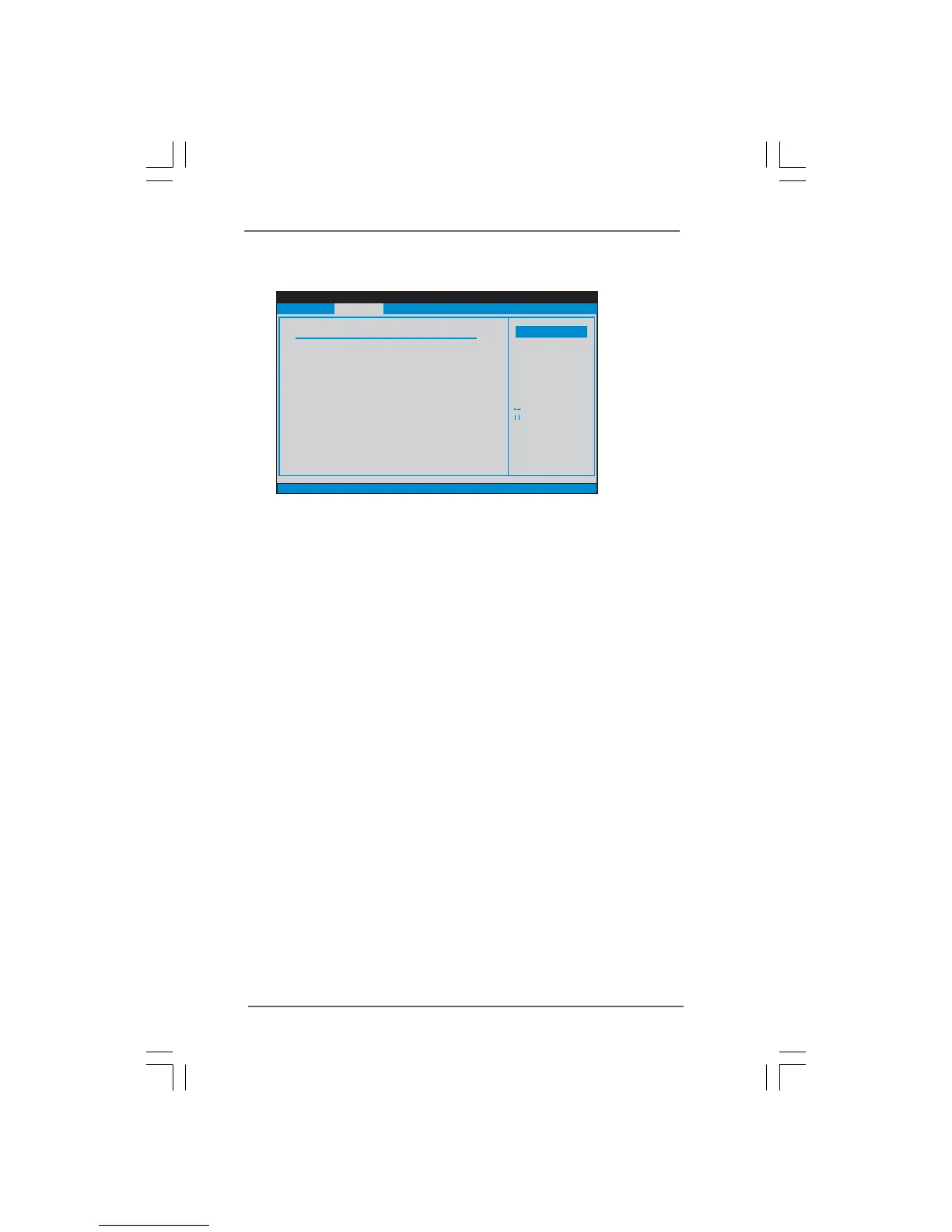
DRAM Frequency
If [Auto] is selected, the motherboard will detect the memory module(s)
inserted and assigns appropriate frequency automatically. You may also
select other value as operating frequency: [200MHz (DDRII 400)], [266MHz
(DDRII 533)].
Flexibility Option
The default value of this option is [Disabled]. It will allow better tolerance for
memory compatibility when it is set to [Enabled].
Configure DRAM Timing by SPD
Select [Enabled] will configure the following items by the contents in the
SPD (Serial Presence Detect) device. If you select [Disabled], you will find
the items “DRAM RAS# to CAS# Delay”, “DRAM RAS# Precharge”, and
“DRAM RAS# Activate to Precharge” appear to allow you adjusting them.
DRAM CAS# Latency
Use this item to adjust the means of memory accessing. Configuration
options are [5], [4], [3], and [Auto].
DRAM RAS# to CAS# Delay
This controls the latency between the DRAM active command and the
read / write command. Configuration options: [2 DRAM Clocks], [3 DRAM
Clocks], [4 DRAM Clocks], and [5 DRAM Clocks].
DRAM RAS# Precharge
This controls the idle clocks after a precharge command is issued.
Configuration options: [2 DRAM Clocks], [3 DRAM Clocks], [4 DRAM
Clocks], and [5 DRAM Clocks].
BIOS SETUP UTILITY
v02.54 (C) Copyright 1985-2005, American Megatrends, Inc.
Chipset Configuration
DRAM Frequency
Flexibility Option
Configure DRAM Timing by SPD
DRAM CAS# Latency
Boot Graphic Adapter Priority
OnBoard HD Audio
Front Panel Control
OnBoard LAN
VCCM (DRAM) Voltage
VDDQ (NB, SB) Voltage
[Disabled]
[Enabled]
[Auto]
[PCI/PCIE]
[Auto]
[Middle]
[Low]
[Auto]
[Enabled]
[Auto]
Select Screen
Select Item
+ - Change Option
F1 General Help
F10 Save and Exit
ESC Exit
F9 Load Defaults
Options
200MHz (DDRII400)
266MHz (DDRII533)
Auto
Advanced




 To Next Page