14
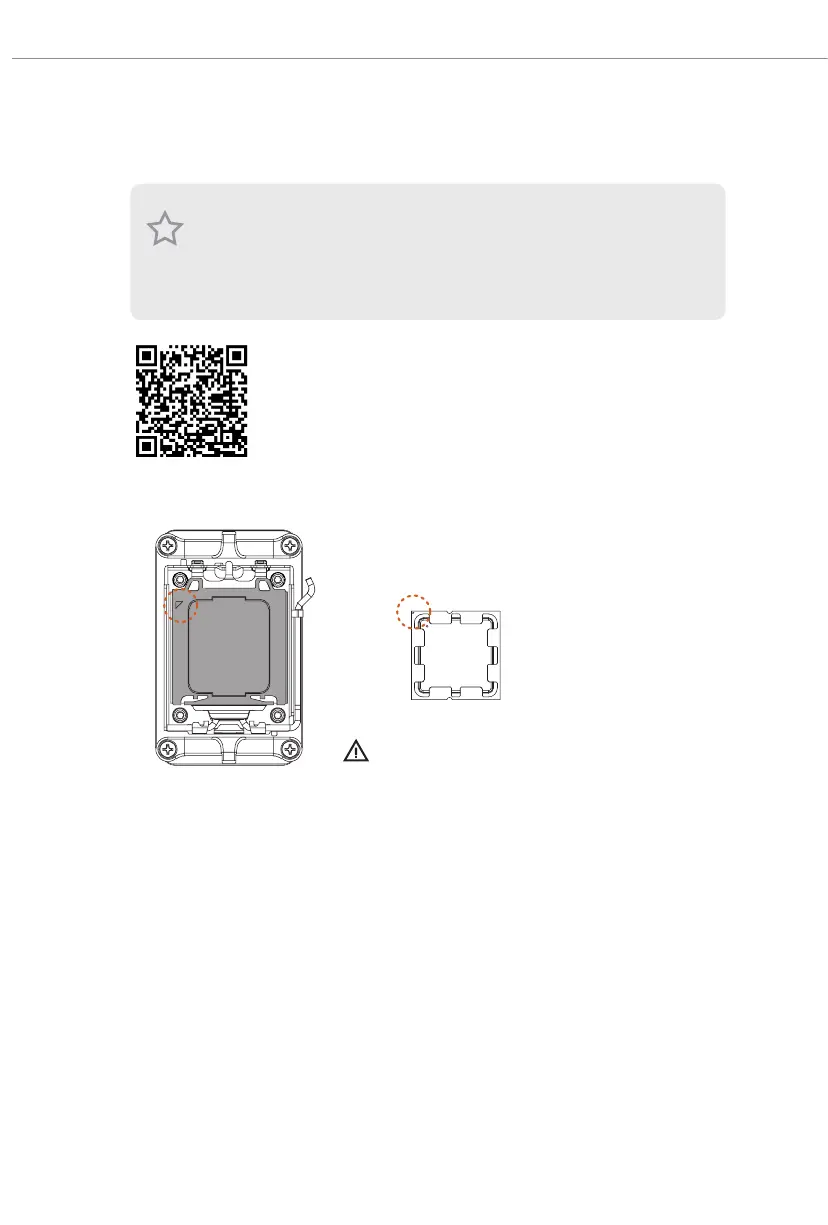
2.1 Installing the CPU
1. Before you insert the 1718-Pin CPU into the socket, please check if the PnP cap is on the
socket, if the CPU surface is unclean, or if there are any bent pins in the socket. Do not
force to insert the CPU into the socket if above situation is found. Otherwise, the CPU
will be seriously damaged.
2. Unplug all power cables before installing the CPU.
Tutorial Video
Turn your CPU to the correct orientation before opening
the CPU socket cover.


 To Next Page
 Loading...