27
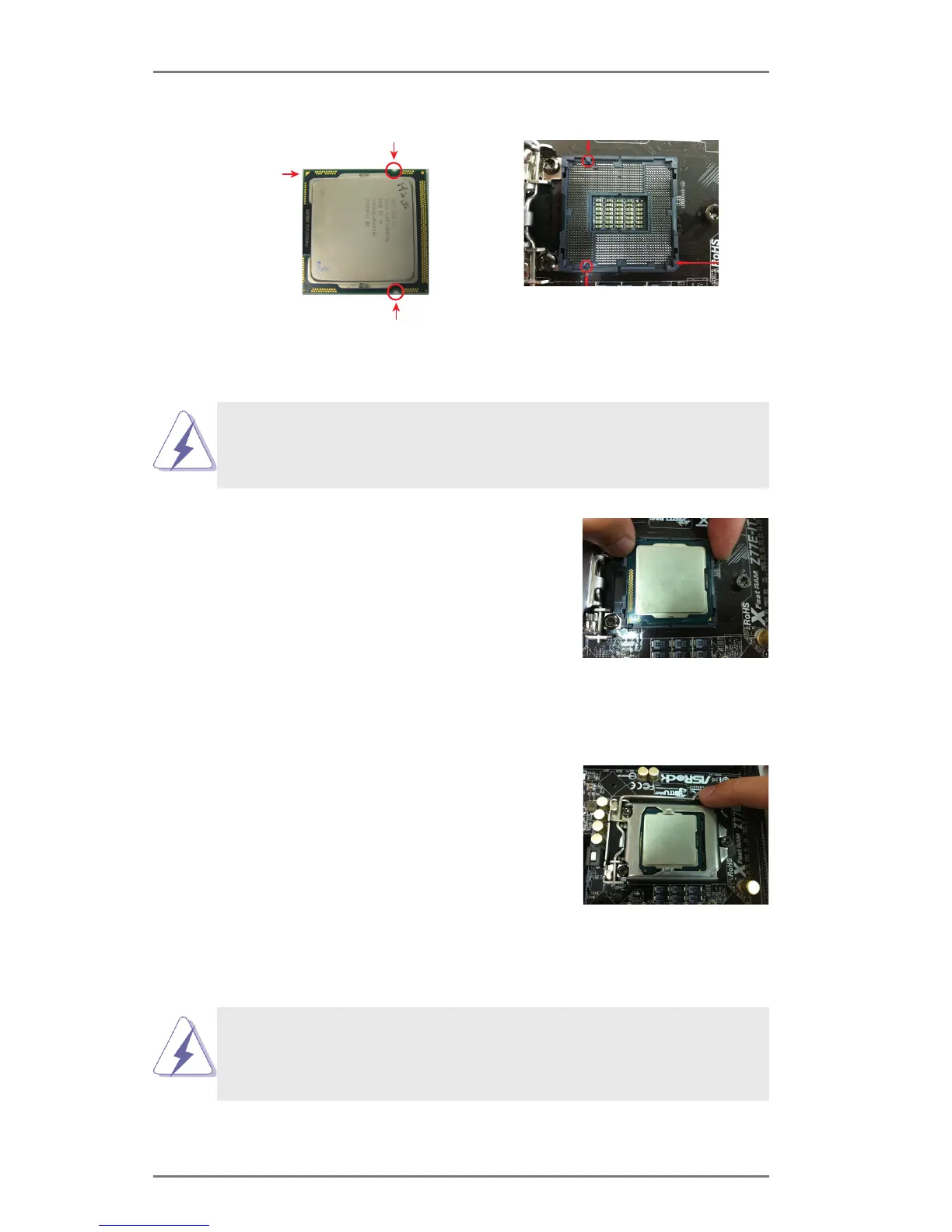
Pin1
alignment key
alignment key
Pin1
1155-Pin CPU
For proper installation, please ensure to match the two
orientation key notches of the CPU with the two alignment
keys of the socket.
Step 2-3. Carefully place the CPU into the
socket.
Step 2-4. Verify that the CPU is within the
socket and properly mated to the
orient keys.
Step 3. Close the socket:
Step 3-1. Flip the load plate onto the IHS.
Step 3-2. Press down the load lever, and
secure it with the load plate tab
under the retention tab. The pro-
tection cover will automatically
come off by itself.
Please save and replace the cover if the processor is re-
moved. The cover must be placed if you wish to return the
motherboard for after service.
orientation key notch
orientation key notch
1155-Pin Socket





 To Next Page