66
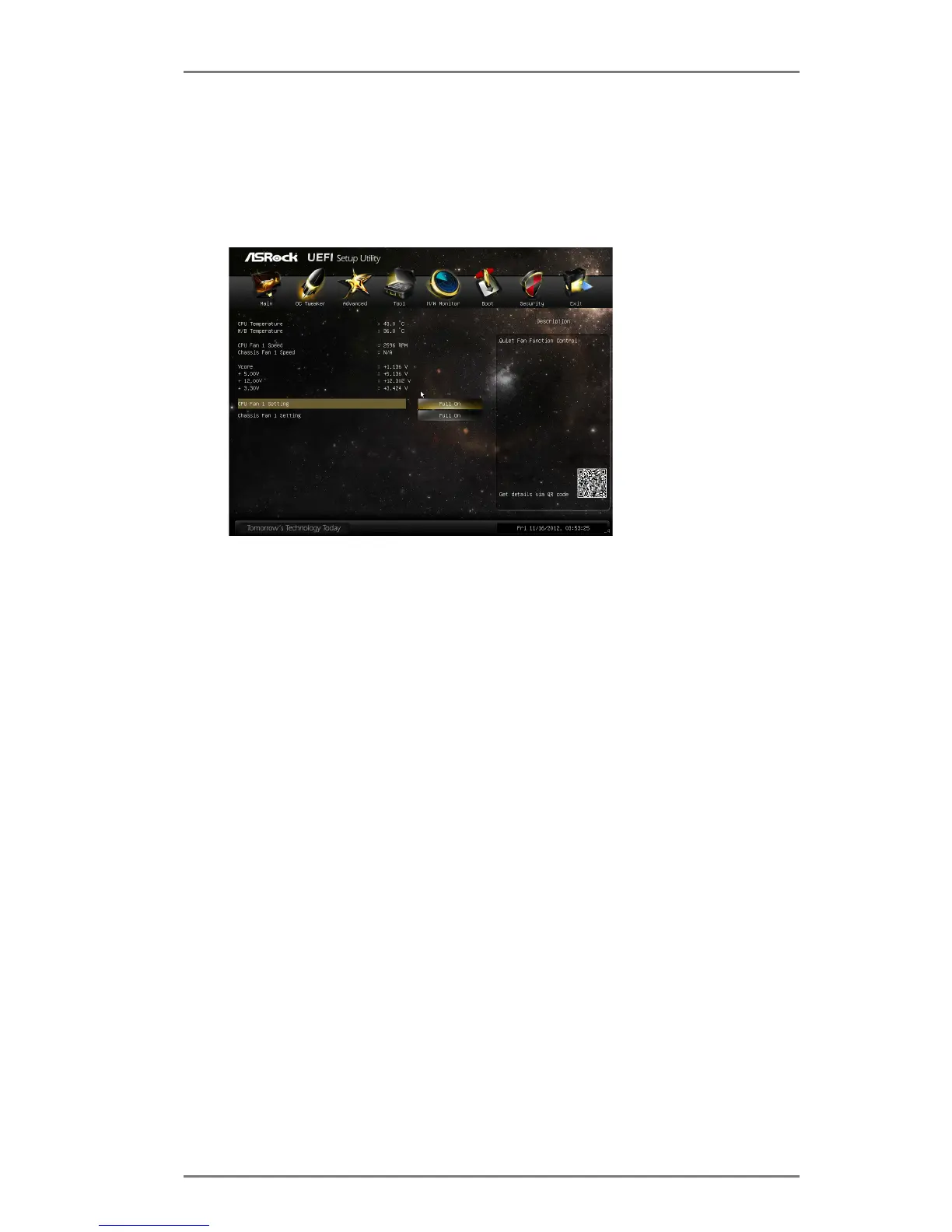
3.6 Hardware Health Event Monitoring Screen
This section allows you to monitor the status of the hardware on your sys-
tem, including the parameters of the CPU temperature, motherboard tem-
perature, fan speed and voltage.
CPU Fan 1 Setting
This allows you to set CPU fan 1’s speed. Conguration options: [Full
On] and [Automatic Mode]. The default value is [Full On].
Chassis Fan 1 Setting
This allows you to set chassis fan 1’s speed. Conguration options:
[Full On] and [Automatic Mode]. The default value is [Full On].





 To Next Page