46
Use this to congure short duration power limit in watts. The default
value is [Auto].
Primary Plane Current Limit
Use this to congure the maximum instantaneous current allowed
for the primary plane. The default value is [Auto].
Secondary Plane Current Limit
Use this to congure the maximum instantaneous current allowed
for the secondary plane. The default value is [Auto].
GT OverClocking Support
Use this to enable or disable GT OverClocking Support. The default
value is [Disabled].
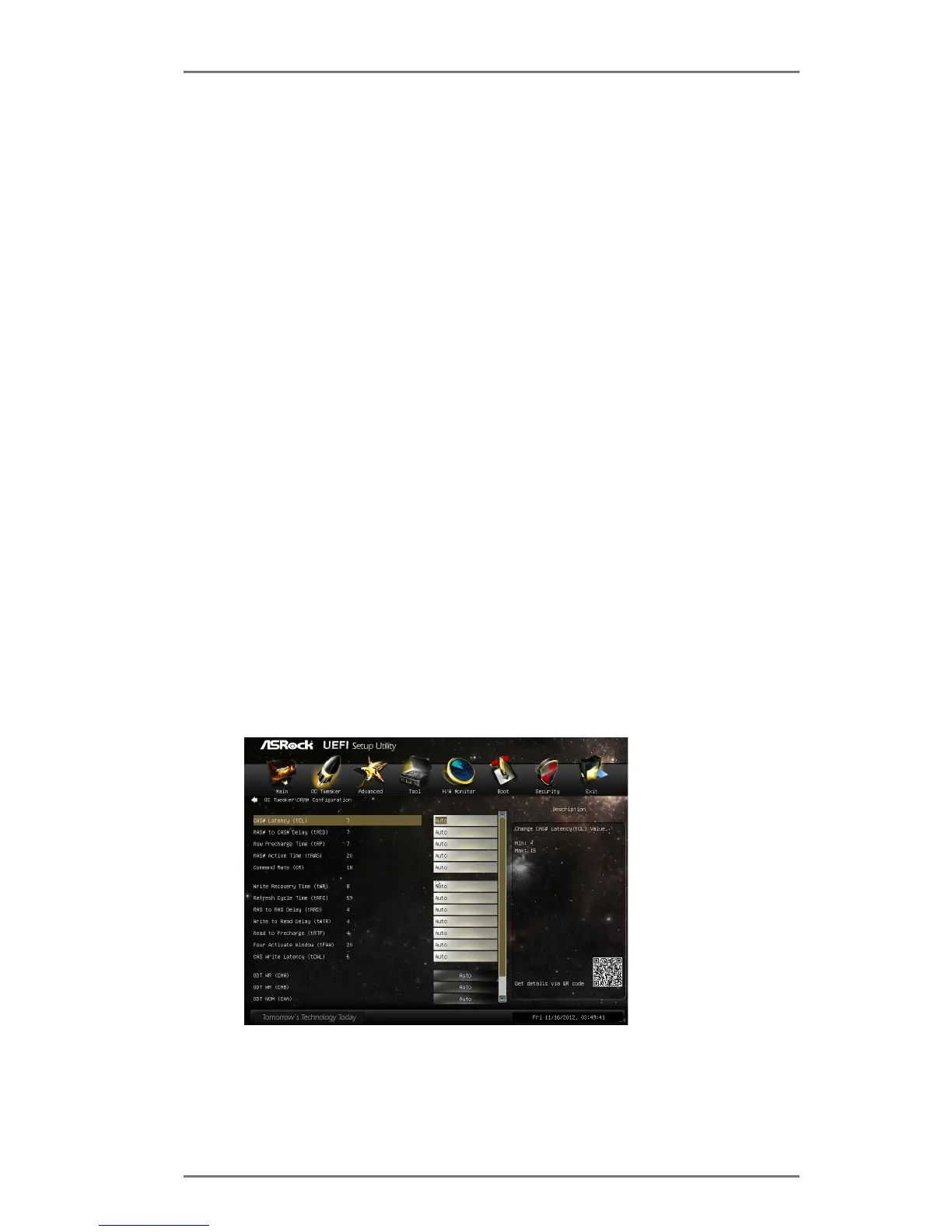
DRAM Timing Conguration
Load XMP Setting
Use this to load XMP settings. Conguration options: [Auto], [De-
fault], [Prole 1] and [Prole 2]. The default value is [Auto].
DRAM Frequency
If [Auto] is selected, the motherboard will detect the memory
module(s) inserted and assign the appropriate frequency automati-
cally.
DRAM Conguration
DRAM tCL
Use this to change CAS# Latency (tCL) Auto/Manual settings. The
default is [Auto].





 To Next Page