7
Chapter 1: Introduction
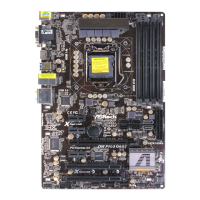
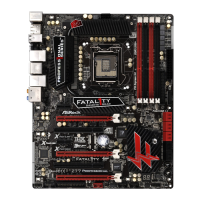
Thank you for purchasing ASRock Fatal1ty Z68 Professional Gen3 Series moth-
erboard, a reliable motherboard produced under ASRock’s consistently stringent
quality control. It delivers excellent performance with robust design conforming to
ASRock’s commitment to quality and endurance.
In this manual, chapter 1 and 2 contain introduction of the motherboard and step-
by-step guide to the hardware installation. Chapter 3 and 4 contain the confi guration
guide to BIOS setup and information of the Support CD.
Because the motherboard specifi cations and the BIOS software might be
updated, the content of this manual will be subject to change without no-
tice. In case any modifi cations of this manual occur, the updated version
will be available on ASRock website without further notice. You may fi nd
the latest VGA cards and CPU support lists on ASRock website as well.
ASRock website http://www.asrock.com
If you require technical support related to this motherboard, please visit
our website for specifi c information about the model you are using.
www.asrock.com/support/index.asp
1.1 Package Contents
ASRock Fatal1ty Z68 Professional Gen3 Series Motherboard
(ATX Form Factor: 12.0-in x 9.6-in, 30.5 cm x 24.4 cm)
ASRock Fatal1ty Z68 Professional Gen3 Series Quick Installation Guide
ASRock Fatal1ty Z68 Professional Gen3 Series Support CD
1 x 80-conductor Ultra ATA 66/100/133 IDE Ribbon Cable
1 x Ribbon Cable for a 3.5-in Floppy Drive
6 x Serial ATA (SATA) Data Cables (Optional)
2 x Serial ATA (SATA) HDD Power Cables (Optional)
1 x 3.5mm Audio Cable (Optional)
1 x I/O Panel Shield
1 x Front USB 3.0 Panel
4 x HDD Screws
6 x Chassis Screws
1 x Rear USB 3.0 Bracket
1 x ASRock SLI_Bridge_2S Card
1 x HDMI to DVI Adapter
ASRock Reminds You...
To get better performance in Windows
®
7 / 7 64-bit / Vista
TM
/ Vista
TM
64-
bit, it is recommended to set the BIOS option in Storage Confi guration to
AHCI mode. For the BIOS setup, please refer to the “User Manual” in our
support CD for details.



 To Next Page
 Loading...