10
English
** To congure 7.1 CH HD Audio, it is required to use an HD front panel audio module and enable the multi-
channel audio feature through the audio driver.
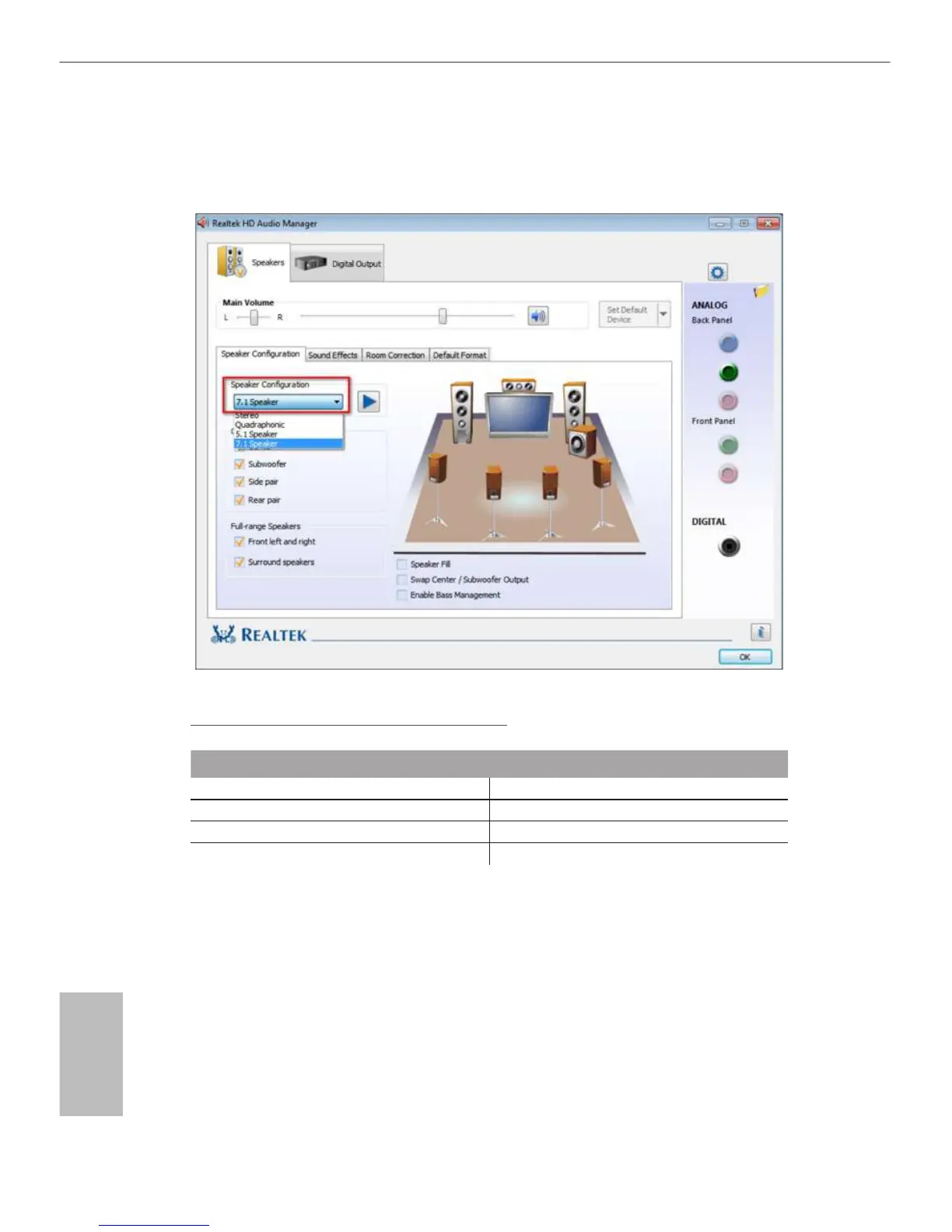
Please set Speaker Conguration to “7.1 Speaker”in the Realtek HD Audio Manager.
Function of the Audio Ports in 7.1-channel Conguration:
Port Function
Light Blue (Rear panel) Rear Speaker Out
Lime (Rear panel) Front Speaker Out
Pink (Rear panel) Central /Subwoofer Speaker Out
Lime (Front panel) Side Speaker Out
*** ACPI wake-up function is supported on USB01 ports only.



 To Next Page
 Loading...