
 Need help?
Do you have a question about the Assa Abloy Emtek EMPowered and is the answer not in the manual?
Includes battery cover, interior escutcheon, and mounting plate.
Contains deadbolt latches, strike plate, and security plate.
Includes AA batteries, machine screws, and wood screws for installation.
Specifications and diagrams for preparing the door.
Specifications and diagrams for preparing the door jamb.
Instructions for installing the deadbolt latch and strike plate onto the door.
Guidelines on using the correct latch and bolt orientation for proper function.
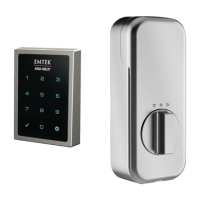
Procedure for attaching the exterior touchscreen escutcheon to the door.
Steps for securing the interior mounting plate to the door assembly.
Instructions on loosening a screw to remove the cover for access.
Procedure for connecting the internal cable assembly to the lock mechanism.
Steps for fitting and securing the interior escutcheon.
Procedure to test the lock's bolt movement and functionality.
Instructions for inserting the AA batteries into the lock.
Ensuring the bolt is retracted before installing batteries for correct operation.
Steps to attach and secure the exterior cover of the lock.
Tighten the bottom screw to firmly secure the lock cover.
Initial step to activate the lock for the handing process.
Procedure to set the lock's handing based on door swing.
Steps to set the initial Master PIN Code for the lock.
Entering the Master PIN Code and confirming with the gear key.
Procedure for adding new user PIN codes to the lock.
Instructions for adding additional user PIN codes.
How to exit the programming mode after setting user codes.
Steps to enter a PIN code to unlock the door.
Detailed steps to reset the lock to its original factory settings.
Summary of the lock's default settings after a factory reset.
Explanation of important terms used in the manual, covering lock features and operations.
Touch screen to activate the lock and enter menu mode.
Inputting the Master PIN Code followed by the gear key.
Choosing a function by entering its corresponding digit and pressing the gear key.
Setting or changing the Master PIN Code.
Managing user PIN codes, including adding and deleting them.
Configuring settings like auto re-lock, indicator light, and one-touch locking.
Adjusting audio volume and selecting the language for prompts.
Configuring lockout modes and network module options.
Solutions for common programming and operational issues with the lock.
Checks for door and hinge alignment to resolve binding problems.
Troubleshooting issues with the deadbolt not deadlocking or moving smoothly.
Resolving problems with keypad numerics scrolling unexpectedly.
Important advisory regarding lockout prevention and recommended usage.
Information regarding compliance with FCC rules for radio frequency interference.
Details on complying with radiation exposure limits for safe operation.
Statement of compliance with Industry Canada rules for radio devices.
Compliance with IC radiation exposure limits for Canada.
 General
| Brand | Emtek |
|---|---|
| Parent Company | Assa Abloy |
| Category | Keypad |
| Power Source | Battery |
| Battery Type | 4 AA batteries |
| Backlight | Yes |
| Backset | 2-3/8" or 2-3/4" |
| Product Name | EMPowered |
| Battery Life | Approximately 1 year |
| Connectivity | Bluetooth |
| Material | Brass |
| Keypad Type | Touchscreen |
| Finish Options | Multiple finishes available |
| Warranty | Limited Lifetime Mechanical Warranty and 2-Year Electronic Warranty |


 To Next Page