12
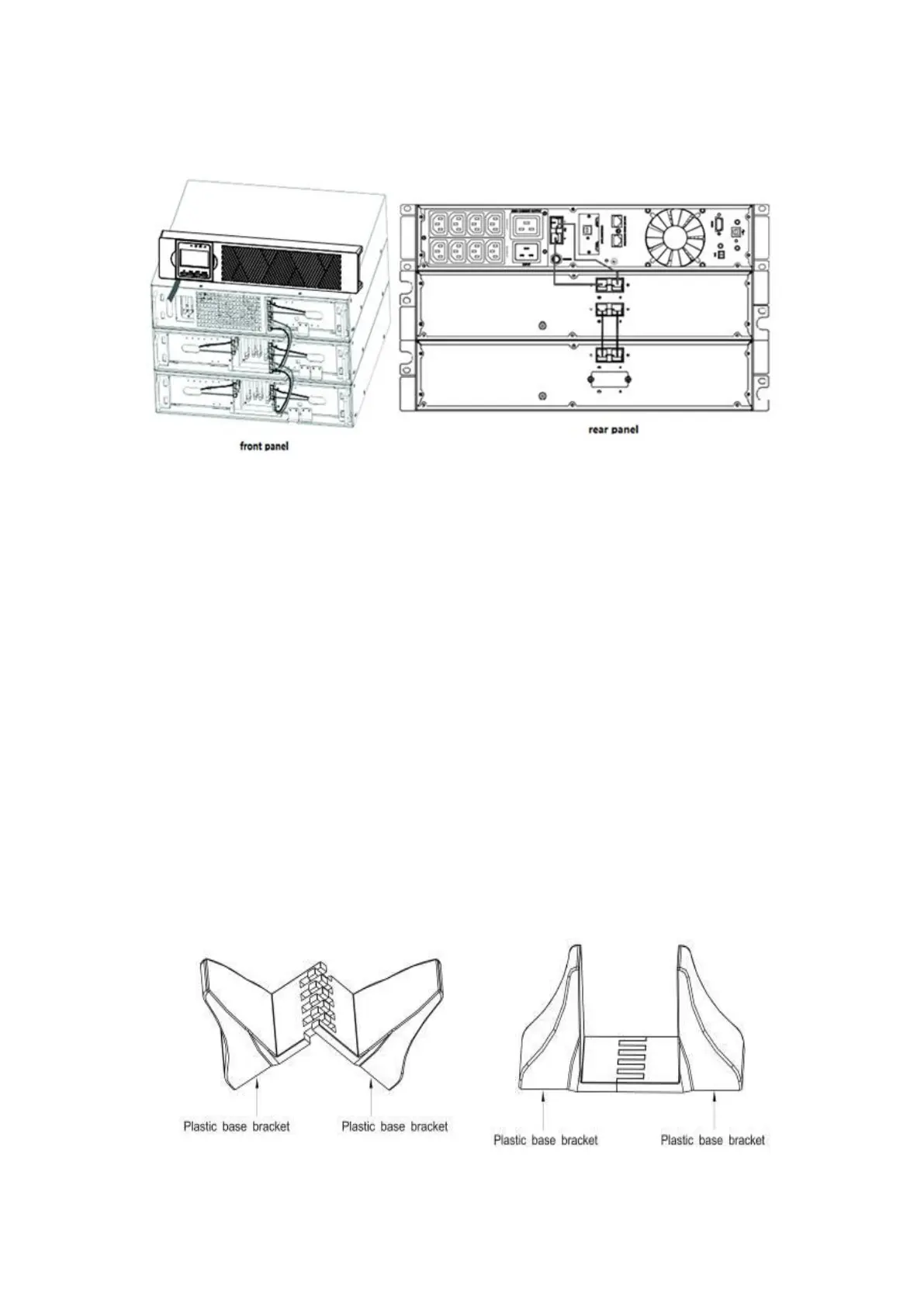
f) Verify that the EBP connections are tight and the adequate bendradius and
strain relief exist for each cable.
Figure 10: Typical EBP installation
g) Replace the EBP front cover.
To replace the cover, verify that the EBP cables are routed throughthe EBP
cover knockouts, cover connects with the cover hook near the left side of
the EBP cabinet. Repeat for each additional EBP.
It is the same with the installation of the front cover. (Refer ”how to install
the UPS”)
h) Verify that all wires connected between the UPS and EBP(s) are
installedbehind the front covers and not accessible to users.
i) Return to Step4 to continue the UPS installation.
• Rackmount converted to tower installation
(1) Rackmount converted to tower plasticbase installation
① Two plastic base brackets
② Flatten it after intercrossing
Intercross as following figure:
③ If an EBP is needed to be placed in the middle, the assembly of plastic base is
similar (Figure 11). The difference is that two 1U plastic base extended boards are
added in the middle. (as the following shows)



 To Next Page