EasyManua.ls Logo

Assmann Digitus DN-170093 - Page 24

Default Icon
35 pages
Print Icon
To Next Page IconTo Next Page
To Previous Page IconTo Previous Page
Loading...
24
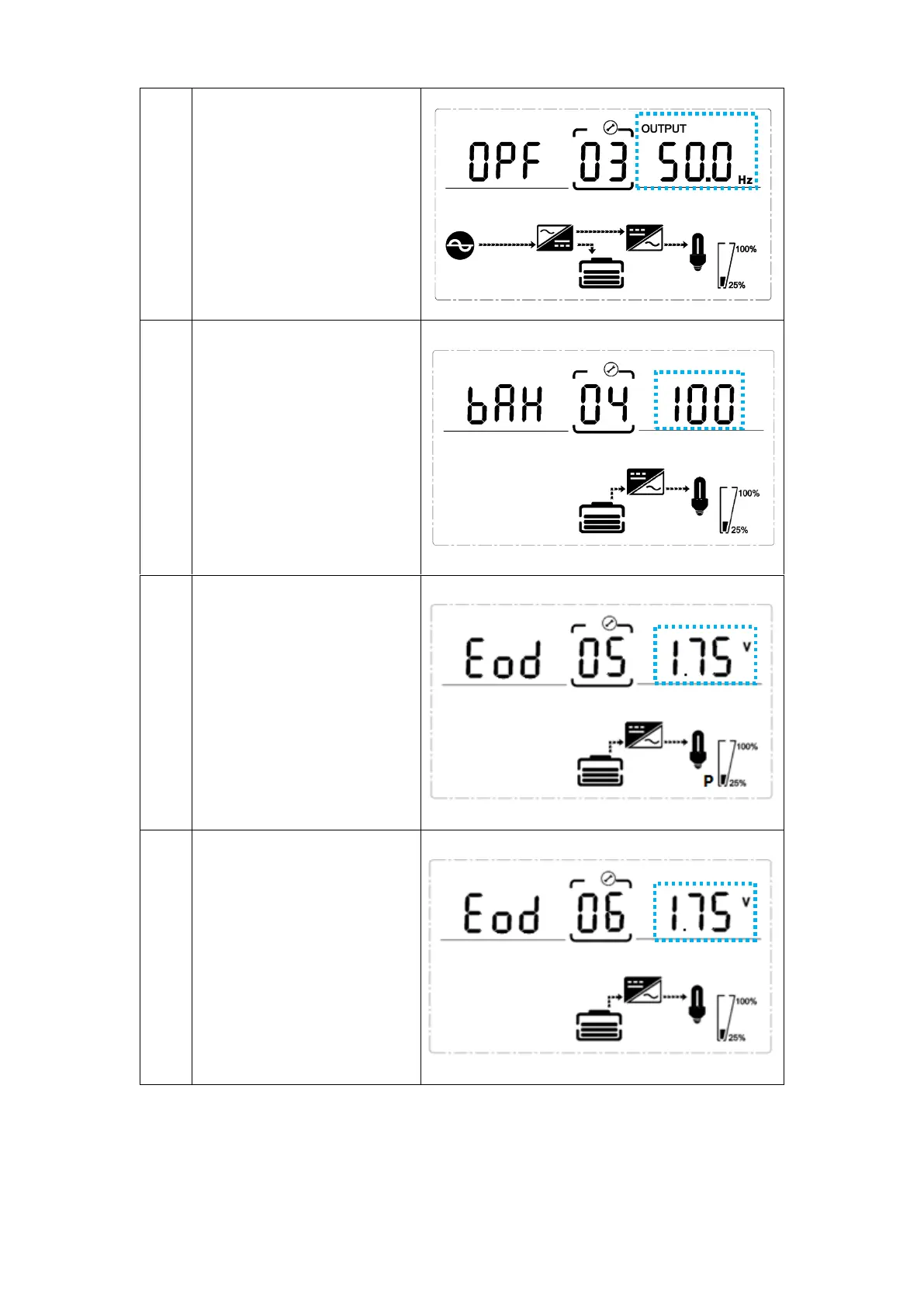
03
Frequency setting
Press Enter button to
change the setting (50
or 60Hz).
Press UP button to
select the previous
setting.
Press DOWN button
to select the next
setting.
04
Battery capacity setting
Press Enter button to
change the setting
(Battery capacity range
is 1-200Ah).
Press UP button to
select the previous
setting.
Press DOWN button
to select the next
setting.
05
Battery EOD voltage setting
(Once)
Press Enter button to
change the setting
(1.75/1.84/1.92).
Press UP button to
select the previous
setting.
Press DOWN button
to select the next
setting.
06
Battery EOD voltage setting
(Second)
Press Enter button to
change the setting
(1.60/1.70/1.75/1.80).
Press UP button to
select the previous
setting.
Press DOWN button
to select the next
setting.