HOW TO USE THIS MULTIMETER
The meter is very sensitive. It will be affected by nearby
magnetic fields. Without touching any objects, there may be a
reading jumping on the screen when it is turned on. This is a
normal occurrence for a digital meter and it does not affect the
measurement results
NOTE
• To avoid damage to the Meter, do not measure voltage
exceeding 600V
• Pay special attention to safety when measuring high voltage
to avoid electric shock or personal injury.
• Before using the Meter to test a known voltage or current,
confirm that the Meter functions work properly.
1 .MEASURING AC CURRENT
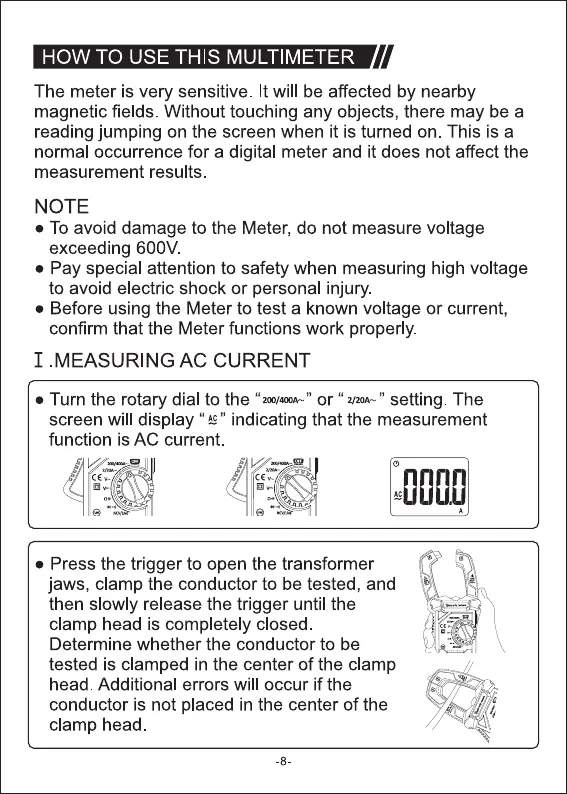
• Turn the rotary dial to the "200/40w"or " setting. The
screen will display " " indicating that the measurement
function is AC current.
@ _sll
• Press the trigger to open the transformer
jaws, clamp the conductor to be tested, and
then slowly release the trigger until the
clamp head is completely closed.
Determine whether the conductor to be
tested is clamped in the center of the clamp
head. Additional errors will occur if the
conductor is not placed in the center of the
clamp head
-8



 To Next Page