• After the reading stabilizes, record it from the LCD screen.
• Turn the rotary switch to the OFF position to turn off the
Meter.
.MEASURING AC/DC VOLTAGE
• Insert the red test lead into the INPUT terminal and the
black test lead into the COM terminal
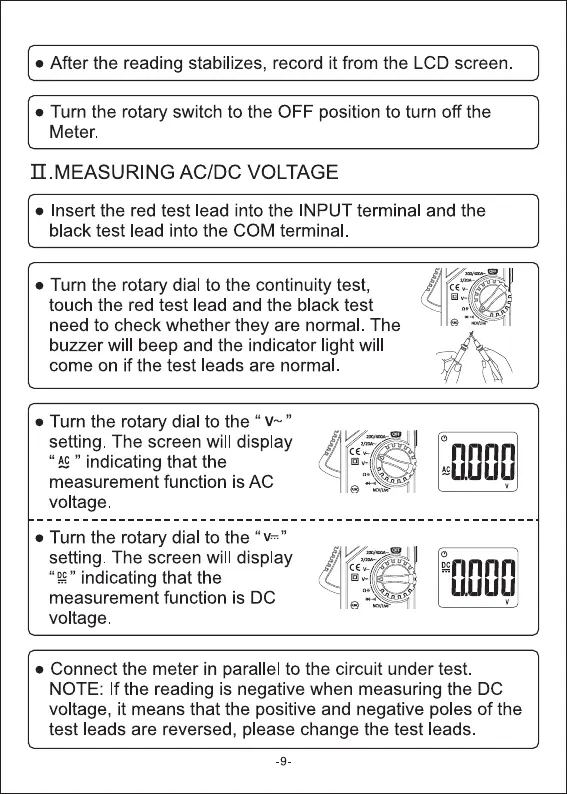
• Turn the rotary dial to the continuity test,
touch the red test lead and the black test
need to check whether they are normal The
buzzer will beep and the indicator light will
come on if the test leads are normal
• Turn the rotary dial to the " '
setting. The screen will display
" " indicating that the
measurement function is AC
voltage
• Turn the rotary dial to the "v="
setting. The screen will display
" indicating that the
measurement function is DC
voltage.
nnnn
aLUUU
• Connect the meter in parallel to the circuit under test.
NOTE: If the reading is negative when measuring the DC
voltage, it means that the positive and negative poles of the
test leads are reversed, please change the test leads
-9



 To Next Page