2-6
Chapter 2: Hardware information
2.3 Central Processing Unit (CPU)
2.3.1 Overview
The motherboard comes with a surface mount 939-pin Zero Insertion
Force (ZIF) socket designed for the AMD Athlon™ 64FX or AMD
Athlon 64™ processor.
The 128-bit-wide data paths of these processors can run applications
faster than processors with only 32-bit or 64-bit wide data paths.
Take note of the marked corner (with
gold triangle) on the CPU. This mark
should match a specific corner on the
socket to ensure correct installation.
2.3.2 Installing the CPU
Follow these steps to install a CPU.
1. Locate the 939-pin ZIF socket on the motherboard.
Gold triangle
A8V
®
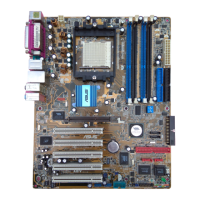
A8V CPU Socket 939
Gold Arrow


 To Next Page