4-12
Chapter 4: BIOS Setup
4.3 Main menu
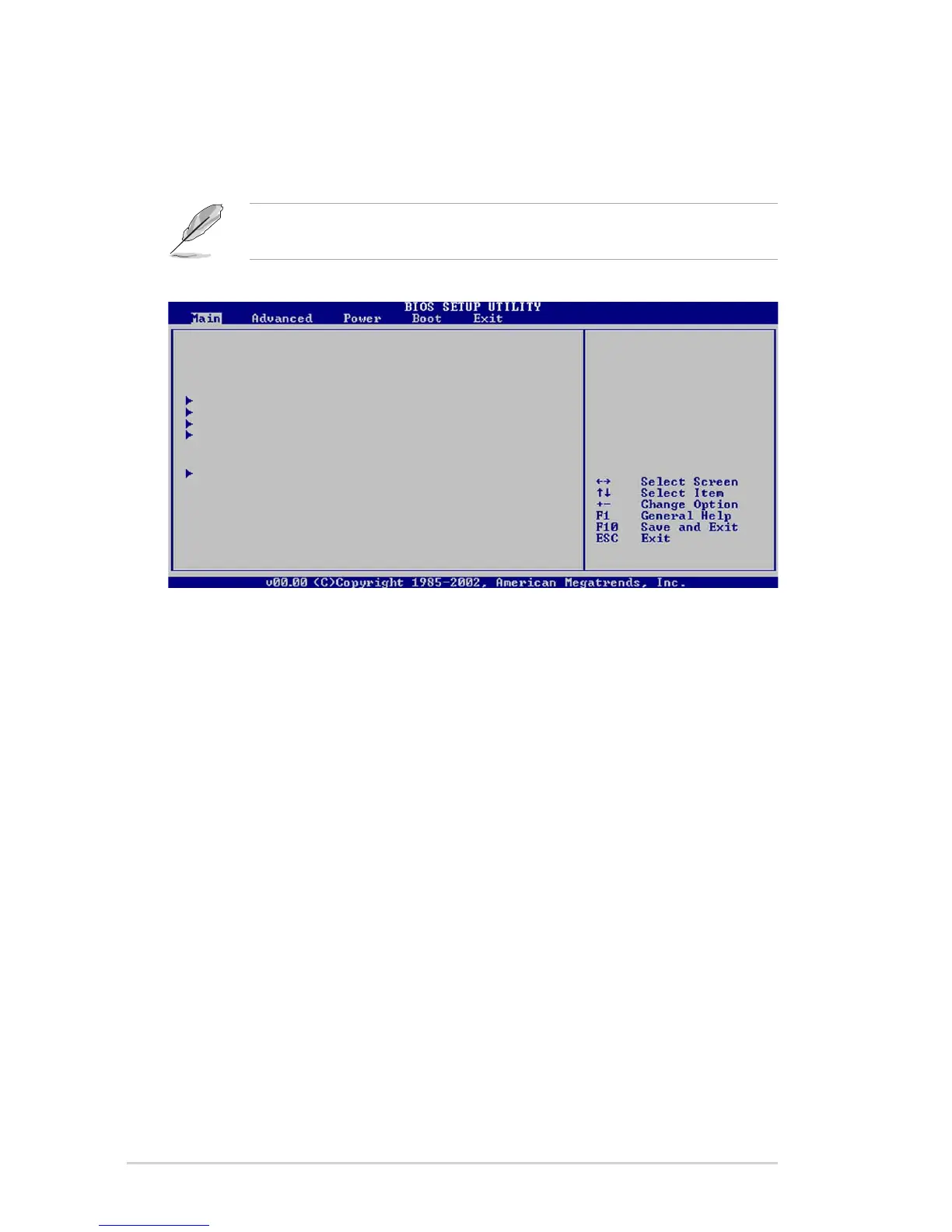
When you enter the BIOS Setup program, the Main menu screen appears,
giving you an overview of the basic system information.
4.3.1 System Time [xx:xx:xxxx]
Allows you to set the system time.
4.3.2 System Date [Day xx/xx/xxxx]
Allows you to set the system date.
4.3.3 Legacy Diskette A [1.44M, 3.5 in.]
Sets the type of floppy drive installed.
Configuration options: [Disabled] [360K, 5.25 in.] [1.2M , 5.25 in.]
[720K , 3.5 in.] [1.44M, 3.5 in.] [2.88M, 3.5in.]
Refer to section “4.2.1 BIOS menu screen” for information on the
menu screen items and how to navigate through them.
System Time [11:51:19]
System Date [Thu 08/05/2003]
Legacy Diskette A [1.44M, 3.5 in]
Primary IDE Master : [ST320413A]
Primary IDE Slave : [ASUS CD-S340]
Secondary IDE Master : [Not Detected]
Secondary IDE Slave : [Not Detected]
System Information
Use [ENTER], [TAB]
or [SHIFT-TAB] to
select a field.
Use [+] or [-] to
configure system
time.


 To Next Page