17
English
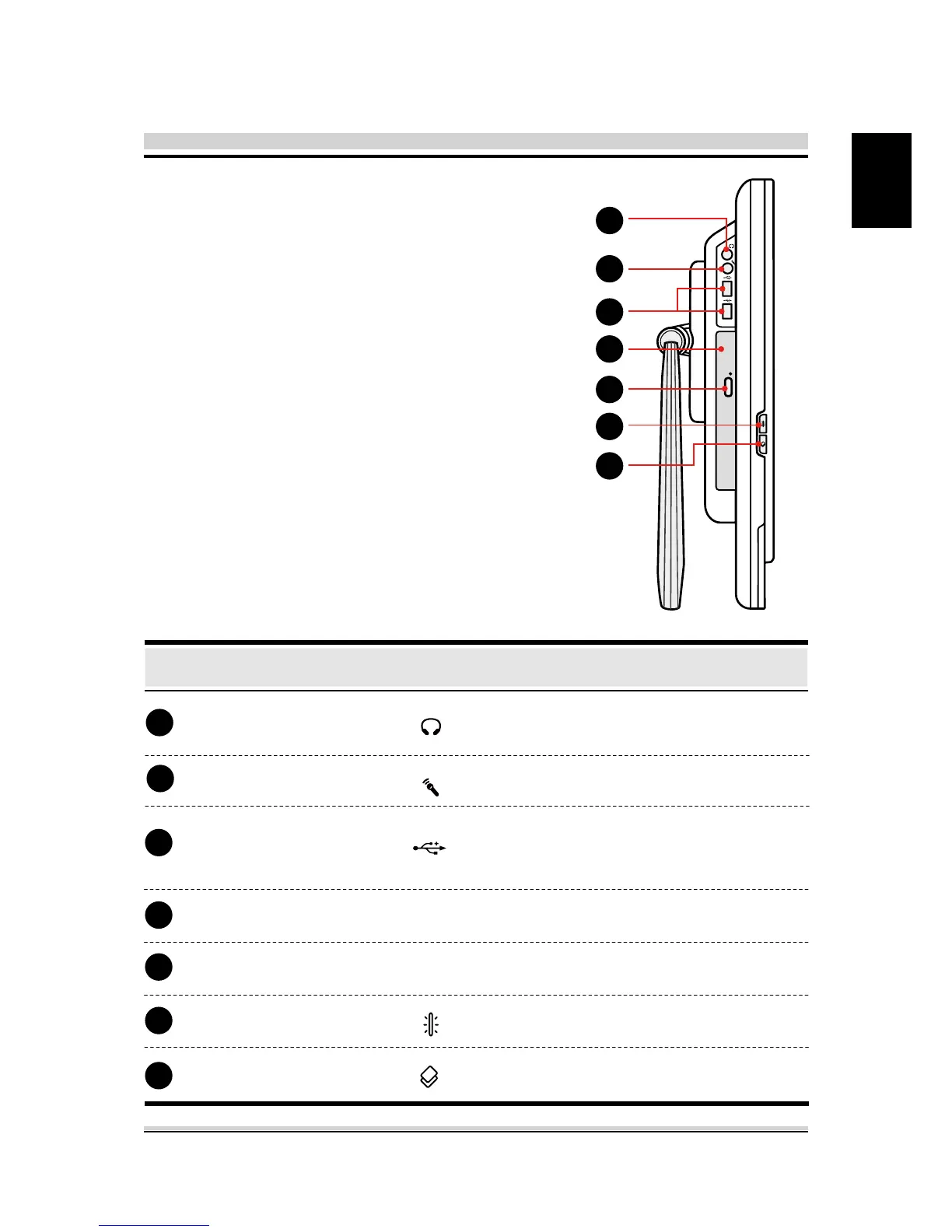
2.3.3 Right Side View
Refer to the following
illustration to identify the
components on this side
of the computer.
Headphone jack
Microphone jack
USB Port
(Optional)
Function DescriptionTop Side Components
Connects a microphone into this jack.
Connects an USB device (such as
USB Zip drive, keyboard or mouse)
into this jack.
Connects amplied speakers or
headphones into this jack.
Slot for inserting a disc.
Ejects the CD/DVD disc.
Switch Back Light on/o.
Back Light Button
Call control AP.
Call Control AP Button
3
2
6
1
4
5
7
Optical drive (Optional)
Eject button (Optional)
3
2
6
1
4
5
7






 To Next Page