20
English
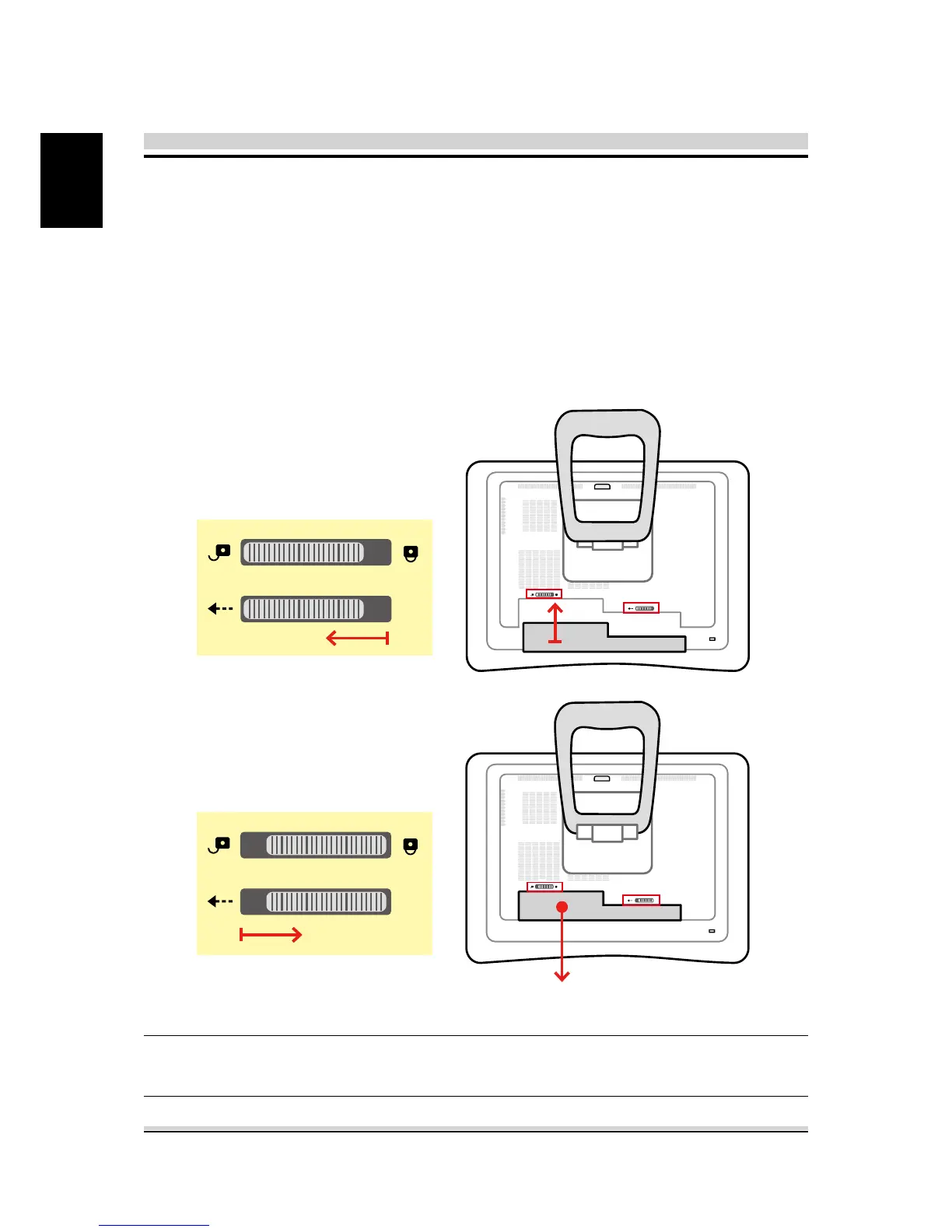
3.2 Installing the battery pack
Battery Pack
Place the AIO PC face-down on a soft at surface. Recommends
that you set down a blanket,towel, or other soft cloth to protect
the screen surface from scratches or other damage.
Insert the battery pack as shown into the battery compartment
until it clicks into place. Then slide the lock/unlock latches into
the lock position.
NOTE:
Never attempt to remove the battery pack while the com
puter
is
turned ON, as this may result in the loss of working data.










 To Next Page