22
English
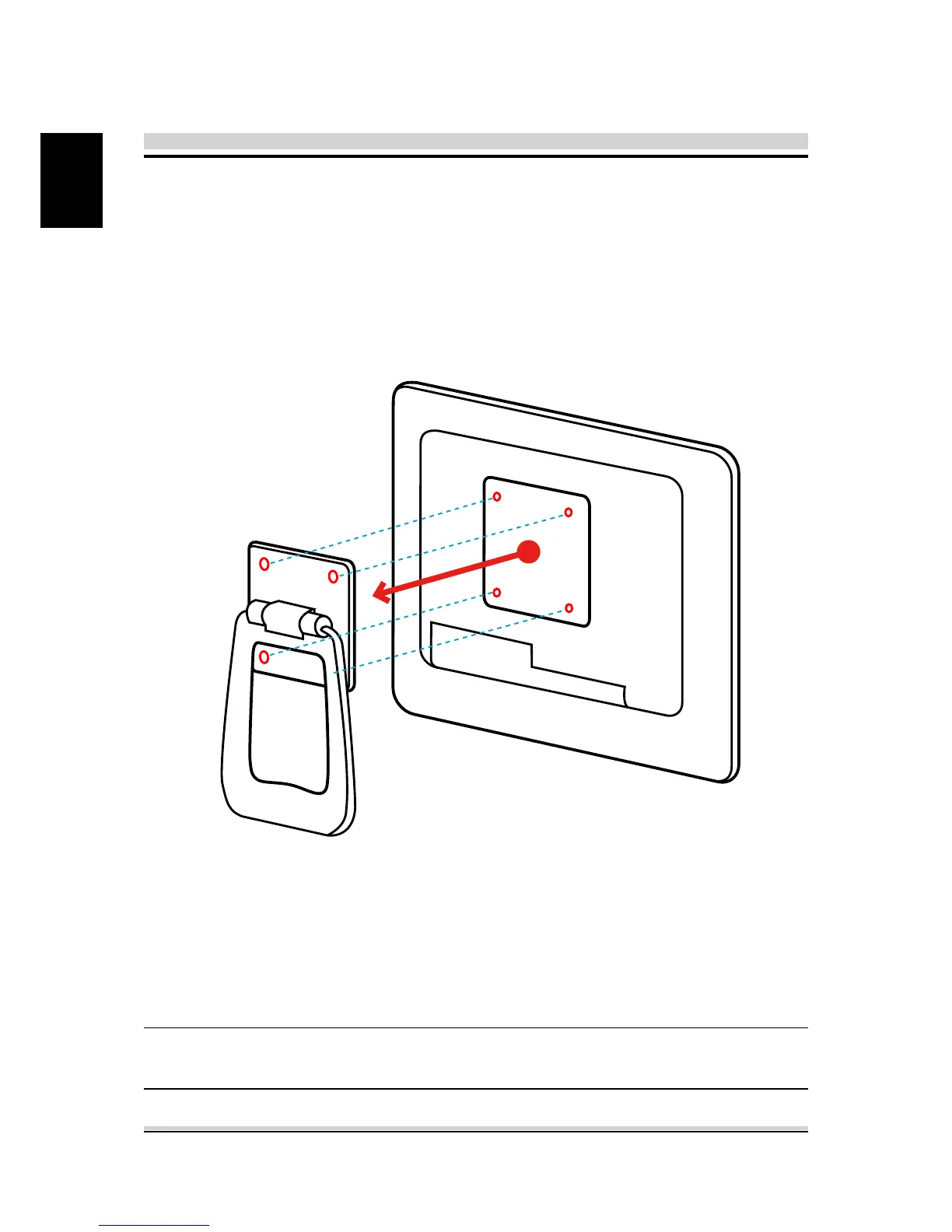
3.4 VESA mounting to the wall (Optional)
If you are mounting your AIO PC to the wall, please refer to the
following steps and remove the stand/handle.
Unscrew 4 screws of the stand mount and remove the stand.
NOTE: AIO PC can be mounted on a wall using a VESA
compatible 100mm x 100mm wall/arm bracket.
Standard VESA to let user guide of the wall/arm mount kit you
bought to install it.






 To Next Page