32 ASUS CUV4X-E User’s Manual
3. HARDWARE SETUP
Connectors
3. H/W SETUP
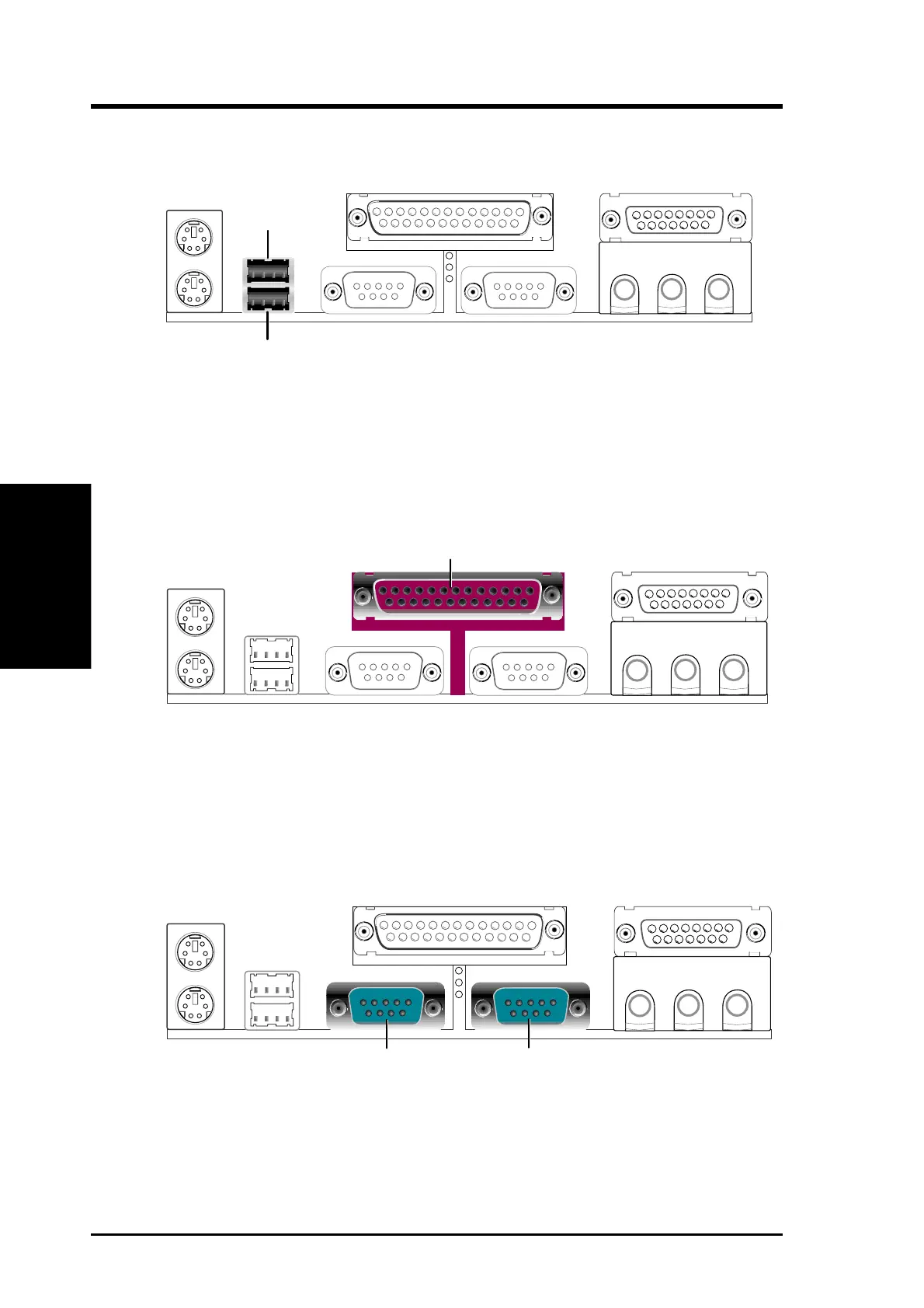
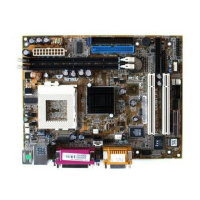
3) Universal Serial Bus Ports 1 & 2 (Black two 4-pin USB)
Two USB ports are available for connecting USB devices.
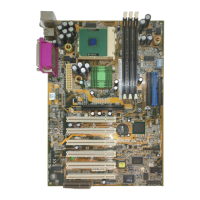
5) Serial Port Connectors (Teal/Turquoise 9-pin COM1 / 9-pin COM2)
Two serial ports can be used for pointing devices or other serial devices. To
enable these ports, see Onboard Serial Port 1 / Onboard Serial Port 2 in
4.4.2 I/O Device Configuration for the settings.
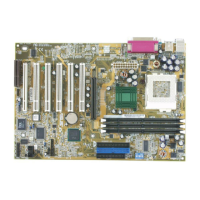
4) Parallel Port Connector (Burgundy 25-pin PRINTER)
You can enable the parallel port and choose the IRQ through Onboard Parallel
Port (see 4.4.2 I/O Device Configuration).
NOTE: Serial printers must be connected to the serial port.
Universal Serial Bus (USB) 2
USB 1
Parallel (Printer) Port (25-pin Female)
COM 1 COM 2
Serial Ports (9-pin Male)


 To Next Page