ASUS CUV4X-E User’s Manual 39
3. HARDWARE SETUP
Connectors
3. H/W SETUP
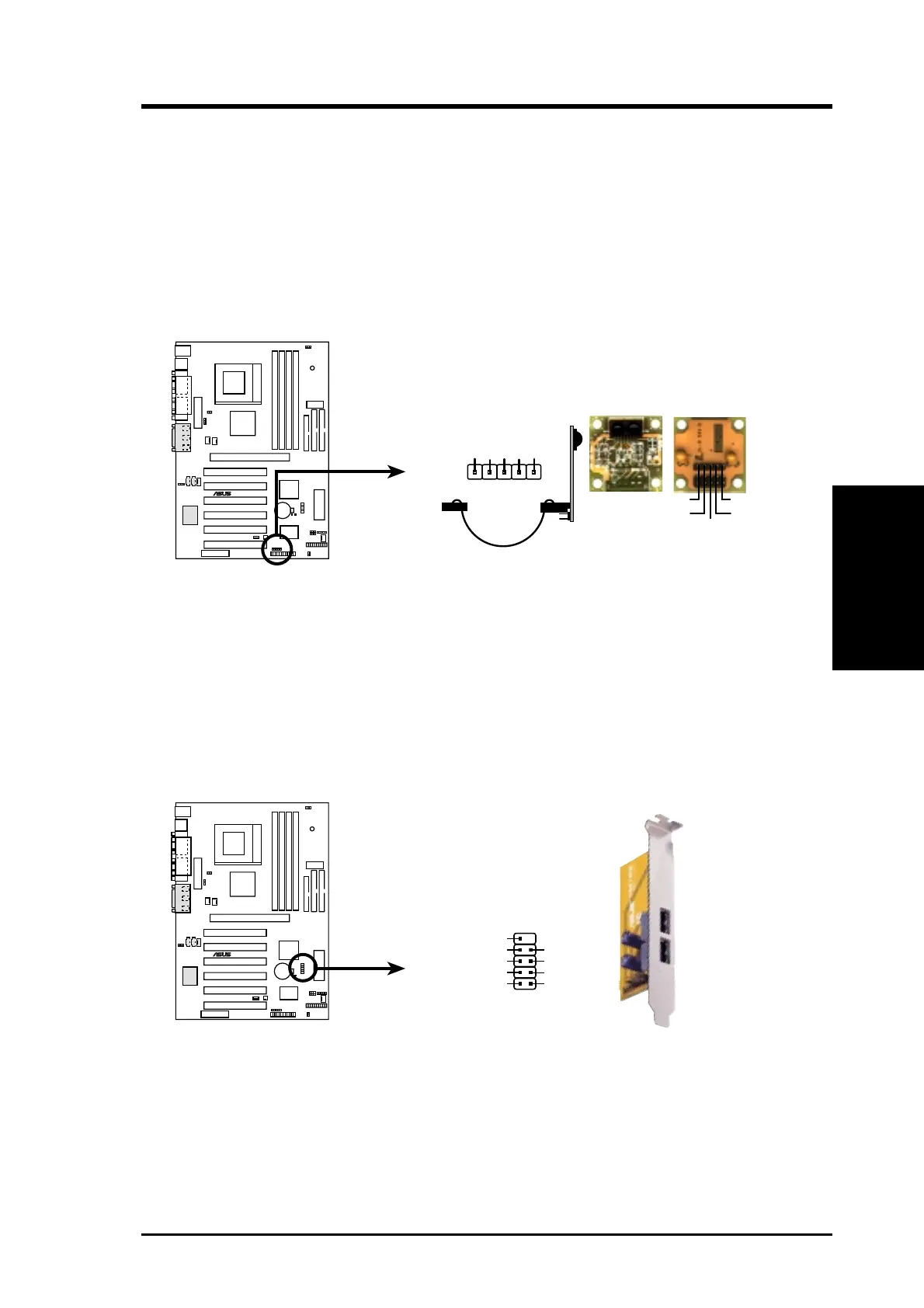
9) Standard Infrared Module Connector (5-pin IR)
This connector supports an optional wireless transmitting and receiving infrared
module. This module mounts to a small opening on system cases that support
this feature. You must also configure the setting through UART2 Use Infrared
(see 4.4.2 I/O Device Configuration) to select whether UART2 is directed for
use with COM2 or IrDA. Use the five pins as shown in Back View and connect
a ribbon cable from the module to the motherboard SIR connector according to
the pin definitions.
10) USB Header (10-1 pin USBPORT)
If the USB port connectors on the back panel are inadequate, one USB header is
available for two additional USB port connectors. Connect the USB header to a
2-port USB connector set and mount the bracket to an open slot in the chassis.
(The USB connector set is optional and does not come with the motherboard
package.)
CUV4X-E Front Panel USB Header
USBPORT
CUV4X-E
®
15
610
NC
GND
USBP2+
USBP2-
USB Power
GND
USBP3+
USBP3-
USB Power
CUV4X-E
®
CUV4X-E Infrared Module Connector
Front View Back View
+5V
IRTX
IRRX
(NC)
GND
+5V
IRRX
IRTX
(NC)
GND
IR
1


 To Next Page