D700SD/S700SD/D700SDES/M700SD/D700SD_CZ
D500SD/S500SD/D500SDES/M500SD/D500SD_CZ
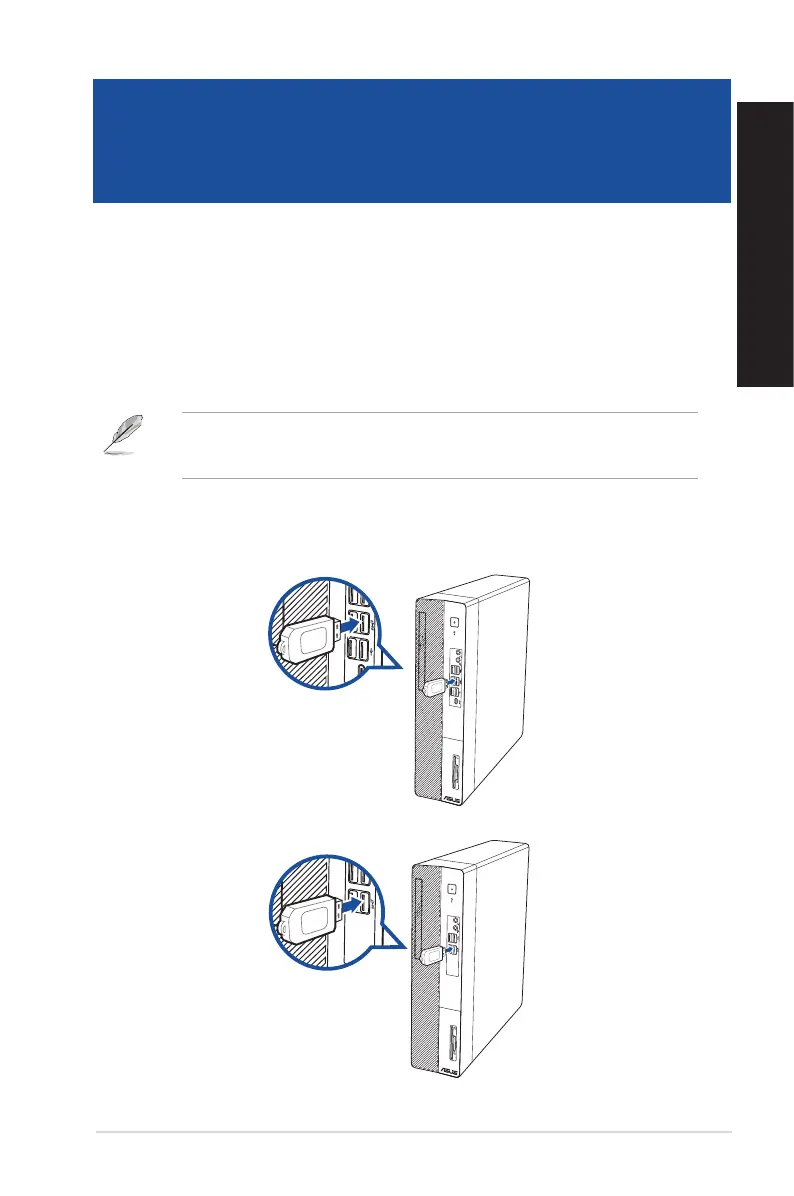
Connecting a USB storage device
This desktop PC provides USB 3.2 Gen 2 Type-C®, USB 3.2 Gen 1, USB 3.2 Gen 2 and USB 2.0 ports on
the front and rear panels. The USB ports allow you to connect USB devices such as storage devices.
To connect a USB storage device:
• Insert the USB storage device to your computer.
You can enable or disable the front and rear USB 3.2 Gen 2 Type-C®, USB 3.2 Gen 1, USB 3.2 Gen
2 and USB 2.0 ports individually from the BIOS Setup. Refer to the Conguring the USB ports
using the BIOS section in Chapter 3 of this user manual for details.
ASUS Desktop PC 27
ENGLISH
ENGLISH
Chapter 2
Connecting devices to your computer
Front panel



 To Next Page