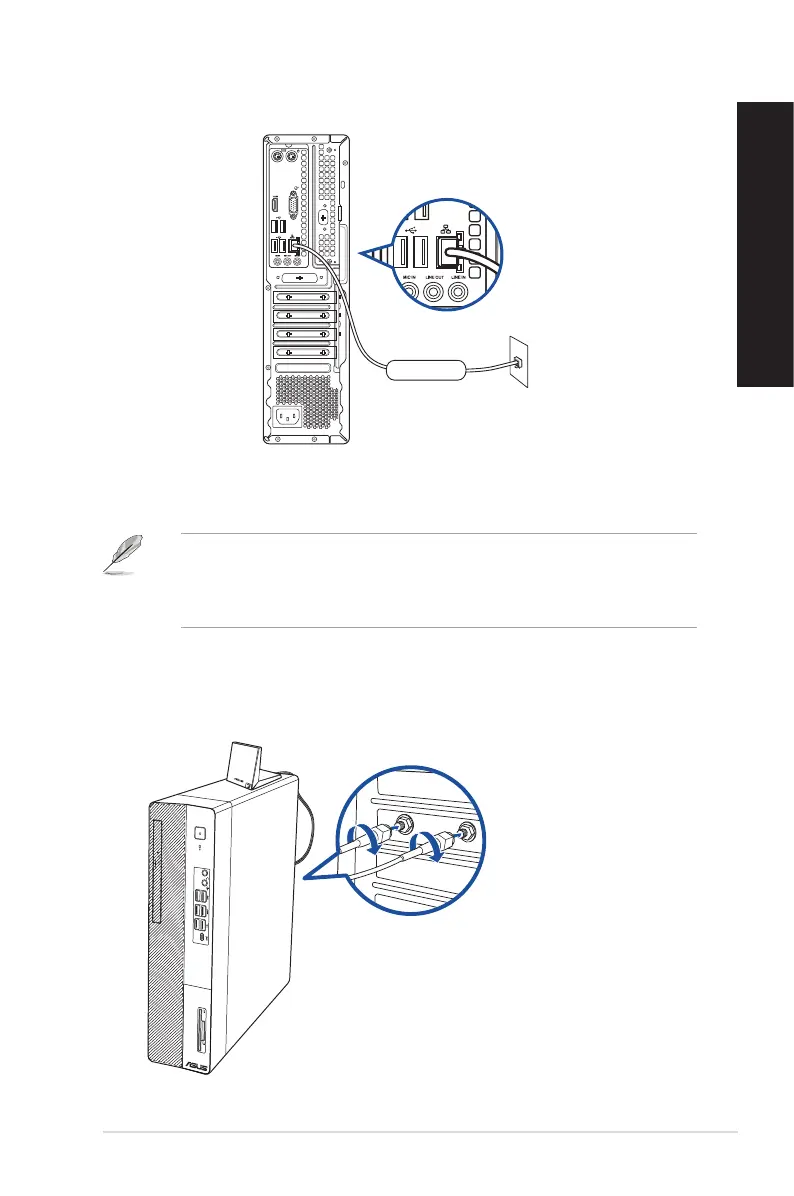
2. Turn on your computer.
3. Congure the necessary Internet connection settings.
• Contact your network administrator for details or assistance in setting up your Internet
connection.
• For more details, refer to the sections Conguring a dynamic IP/PPPoE network connection
or Conguring a static IP network connection.
LAN
RJ-45 cable
D500SD/S500SD/D500SDES/M500SD/D500SD_CZ
Installing the Wi-Fi antenna
D700SD/S700SD/D700SDES/M700SD/D700SD_CZ
ASUS Desktop PC 45
ENGLISH
ENGLISH



 To Next Page