Setting up your computer
This section guides you through connecting the main hardware devices, such as the external
monitor, keyboard, mouse, and power cord, to your computer.
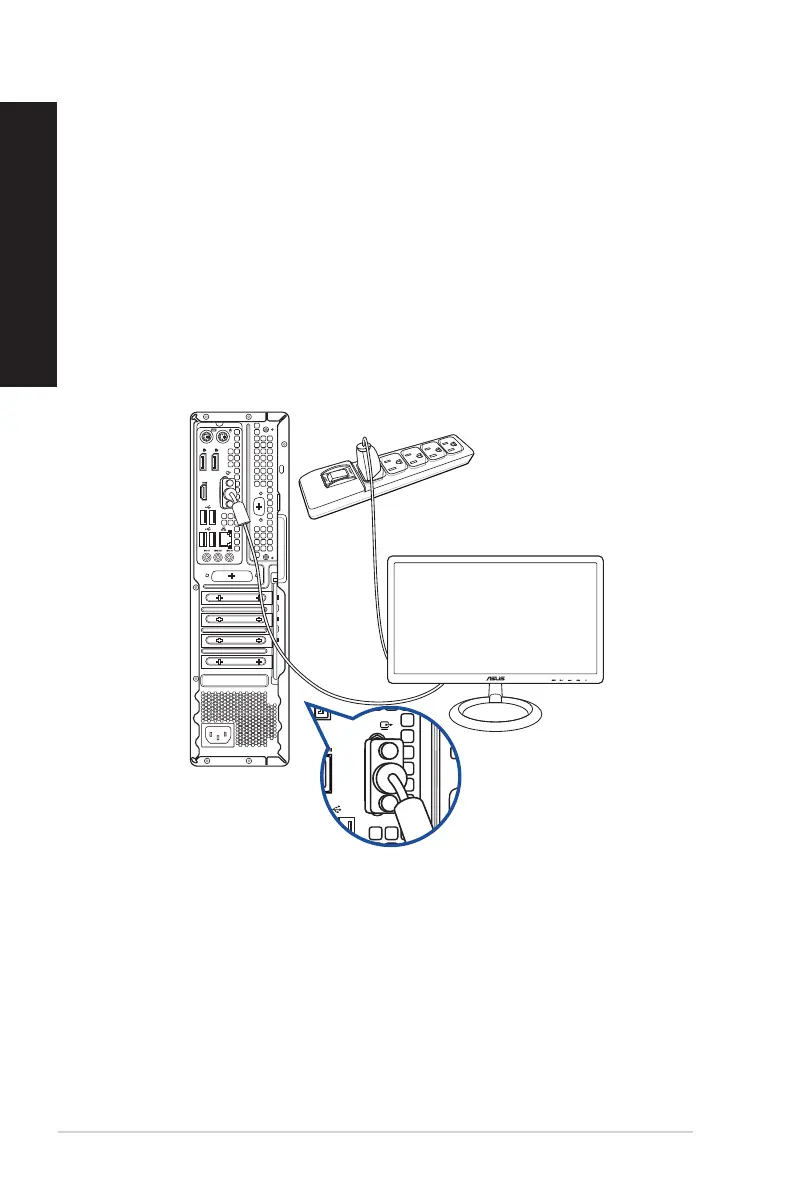
Connecting an external monitor
Using the onboard display output ports
Connect your monitor to the onboard display output port.
To connect an external monitor using the onboard display output ports:
1. Connect a monitor to a display output port on the rear panel of your computer.
2. Plug the monitor to a power source.
D700SD/S700SD/D700SDES/M700SD/D700SD_CZ
22 Chapter 1: Getting started
ENGLISH
ENGLISH



 To Next Page