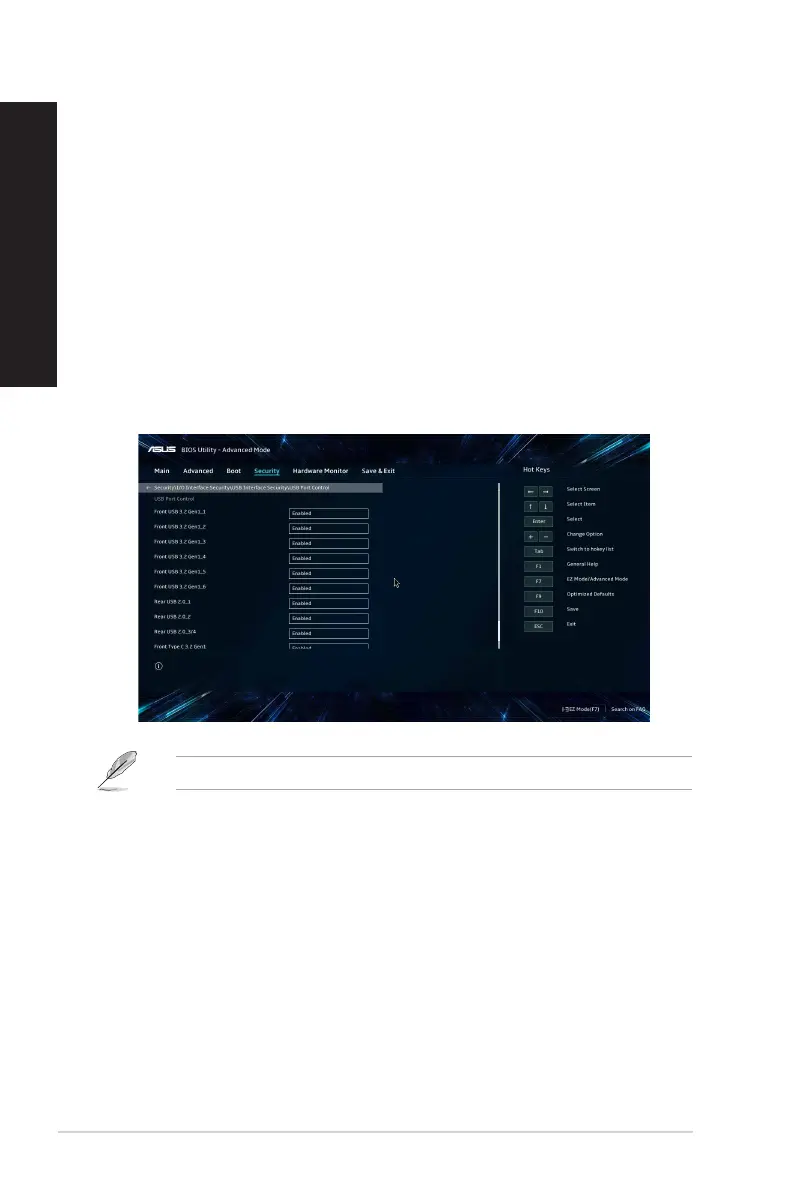
Conguring the USB ports using the BIOS
You can enable or disable the front and rear USB 3.2 Gen 2 Type-C®, USB 3.2 Gen 1, USB 3.2 Gen 2
and USB 2.0 ports from the BIOS Setup.
To disable or enable the front and rear USB 3.2 Gen 2Type-C®, USB 3.2 Gen 1 and USB 2.0
ports:
1. Press <Delete> to enter the BIOS Setup at startup.
2. From the BIOS Setup EZ Mode screen, press <F7> to enter the Advanced Mode. From the
Advanced Mode screen, click Advanced Mode > Security > I/O Interface Security > USB
Interface Security > USB Port Control.
3. Select the USB port that you want to enable or disable.
4. Press <Enter> to enable or disable the selected USB port.
5. Click Exit and select Save Changes & Reset to save the changes made.
Refer to Chapter 1 for the location of the USB ports.
40 Chapter 3: Using your computer
ENGLISH
ENGLISH



 To Next Page