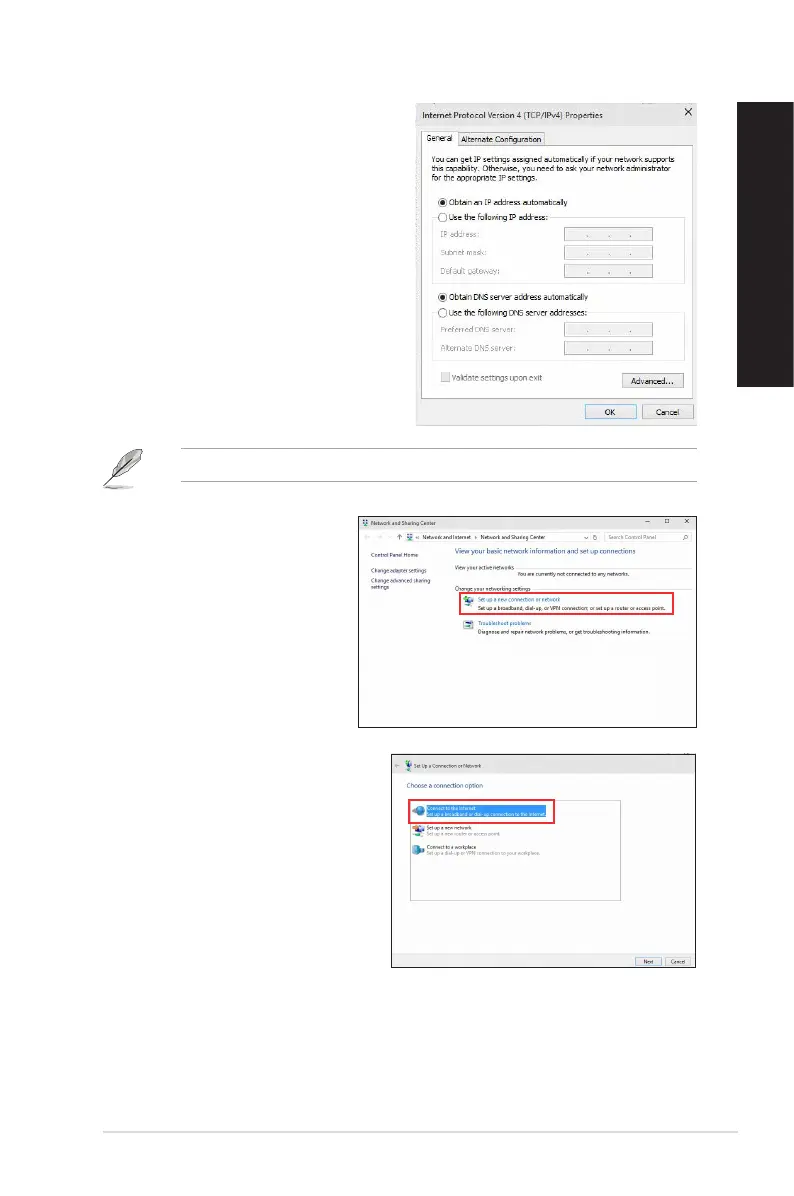
5. Click Obtain an IP address automatically
and click OK.
Continue to the next steps if you are using PPPoE connection.
7. Select Connect to the Internet and
click Next.
6. Return to the Network and
Sharing Center and then click
Set up a new connection or
network.
ASUS Desktop PC 47
ENGLISH
ENGLISH



 To Next Page