20
2 Knowing the Parts
Rear Side
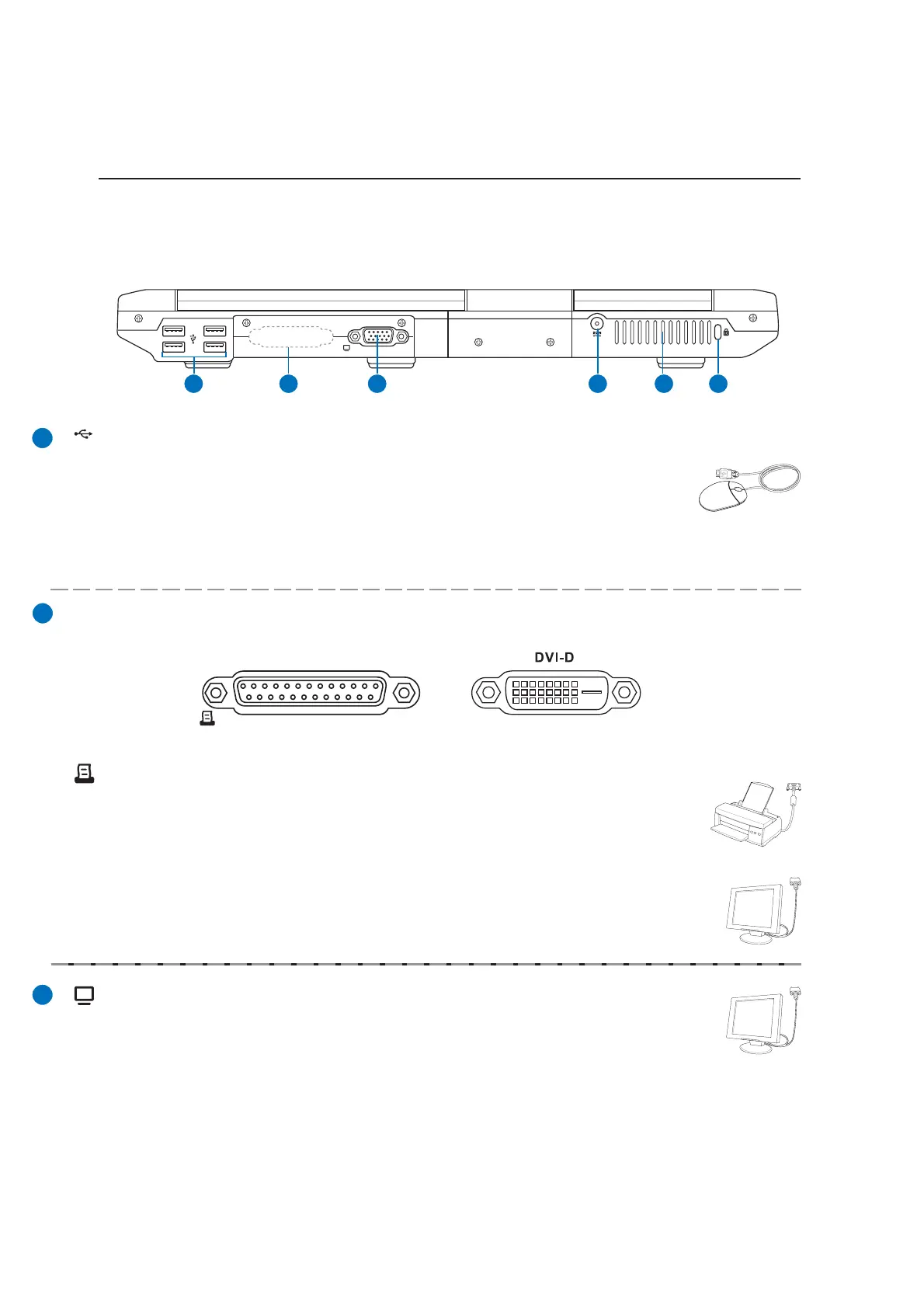
Refer to the diagram below to identify the components on this side of the Notebook PC.
1 2 43 5 6
USB Port (2.0/1.1)
The Universal Serial Bus is compatible with USB 2.0 or USB 1.1 devices such as
keyboards, pointing devices, cameras, hard disk drives, printers, and scanners con-
nected in a series up to 12Mbits/sec (USB 1.1) and 480Mbits/sec (USB 2.0). USB
allows many devices to run simultaneously on a single computer, with peripherals such as USB key-
boards and some newer monitors acting as additional plug-in sites or hubs. USB supports hot-swapping
of devices so that most peripherals can be connected or disconnected without restarting the computer.
Display (Monitor) Output
The 15-pin D-sub output is an analog port that supports a standard VGA-compatible de-
vice such as a monitor or projector to allow viewing on a larger external display.
Parallel Port
The 25-pin D-sub parallel/printer port supports native parallel devices such as laser/inkjet
printers, or parallel-adapted device such as external hard drives, removable drives, or
scanners.
Depenidng
on model.
Additional output ports (depending on model)
Display (DVI-D) Output
The Digital Video Interface port is designed to maximize video graphics output to flat
panel LCD monitors or other DVI-compliant device.
DVI-D



 To Next Page