Disassembly procedure
2 - 8
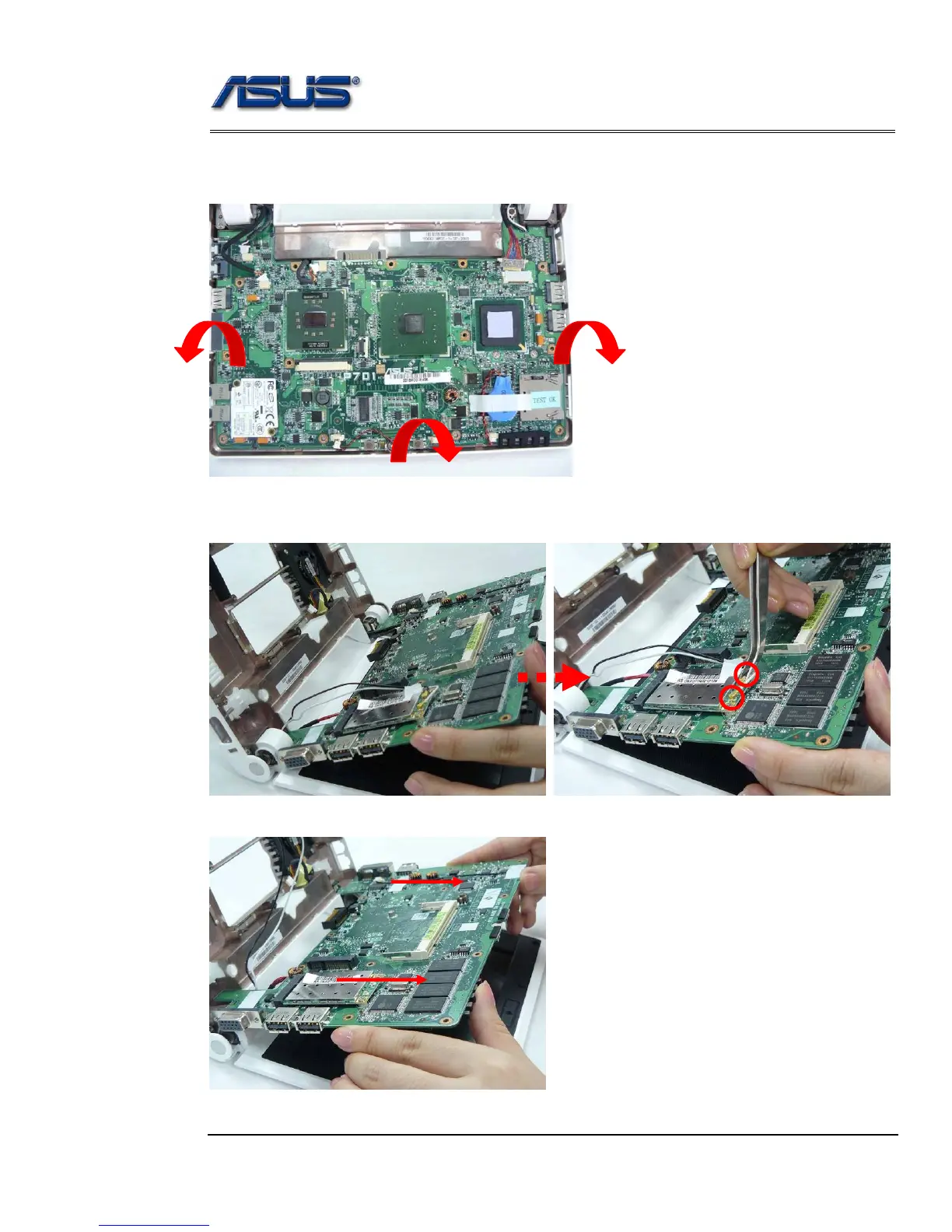
3. Lift the mother board from bottom case by softly separating from the bottom side, two
sides to the top.* pay attention not to remove the mother board for now, for that the WLAN
antenna is still connected with the mother board.
4. Turn the LCD with its back cover on the platform and hold the mother board while
disconnecting the two antennas.
5. Remove the mother board from the bottom case.











 To Next Page