ASUS Eee PC
1-9
2
3
Microphone Jack
The microphone jack is designed to connect the microphone
used for Skype, voice narrations, or simple audio recordings.
Headphone Output Jack
The 1/8” stereo headphone jack (3.5mm) connects the Eee PC’s
audio out signal to amplified speakers or headphones. Using this
jack automatically disables the built-in speakers.
Memory Card Slot
The built-in memory card reader can read MMC/SD/SDHC cards.
4
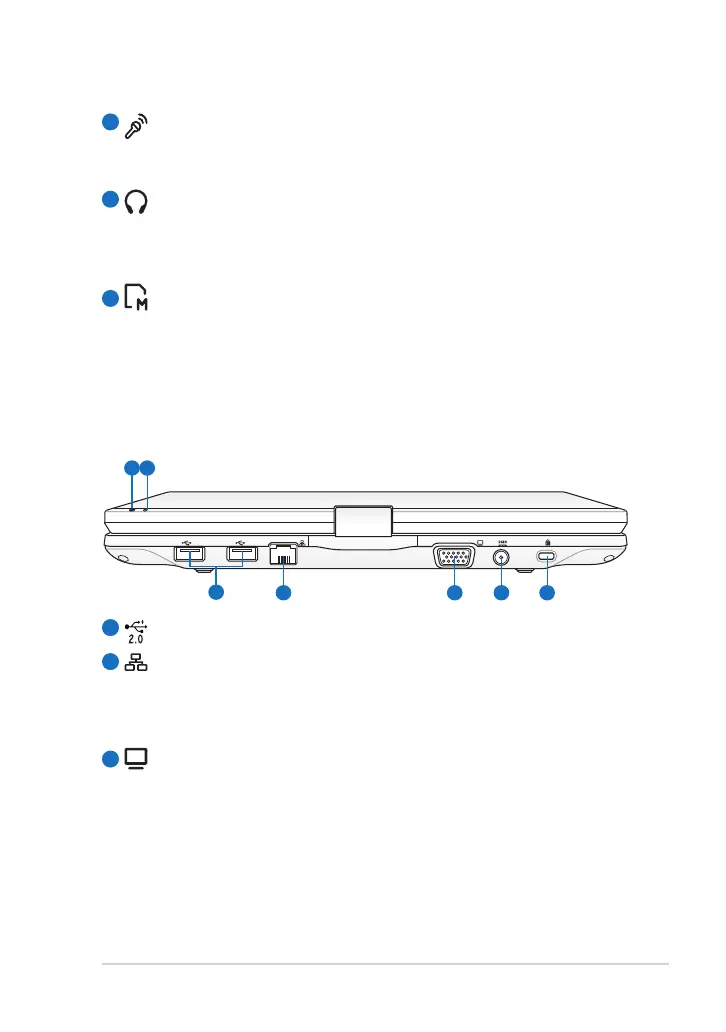
Rear Side
Refer to the illustration below to identify the components on this side of
the Eee PC.
1
2
3
USB Port (2.0/1.1)
LAN Port
The eight-pin RJ-45 LAN port (10/100M bit) supports a standard
Ethernet cable for connection to a local network. The built-in
connector allows convenient use without additional adapters.
Display (Monitor) Output
The 15-pin D-sub monitor port supports a standard VGA-
compatible device such as a monitor or projector to allow
viewing on a larger external display.



 To Next Page