English
46
All-in-One PC ET232 Series
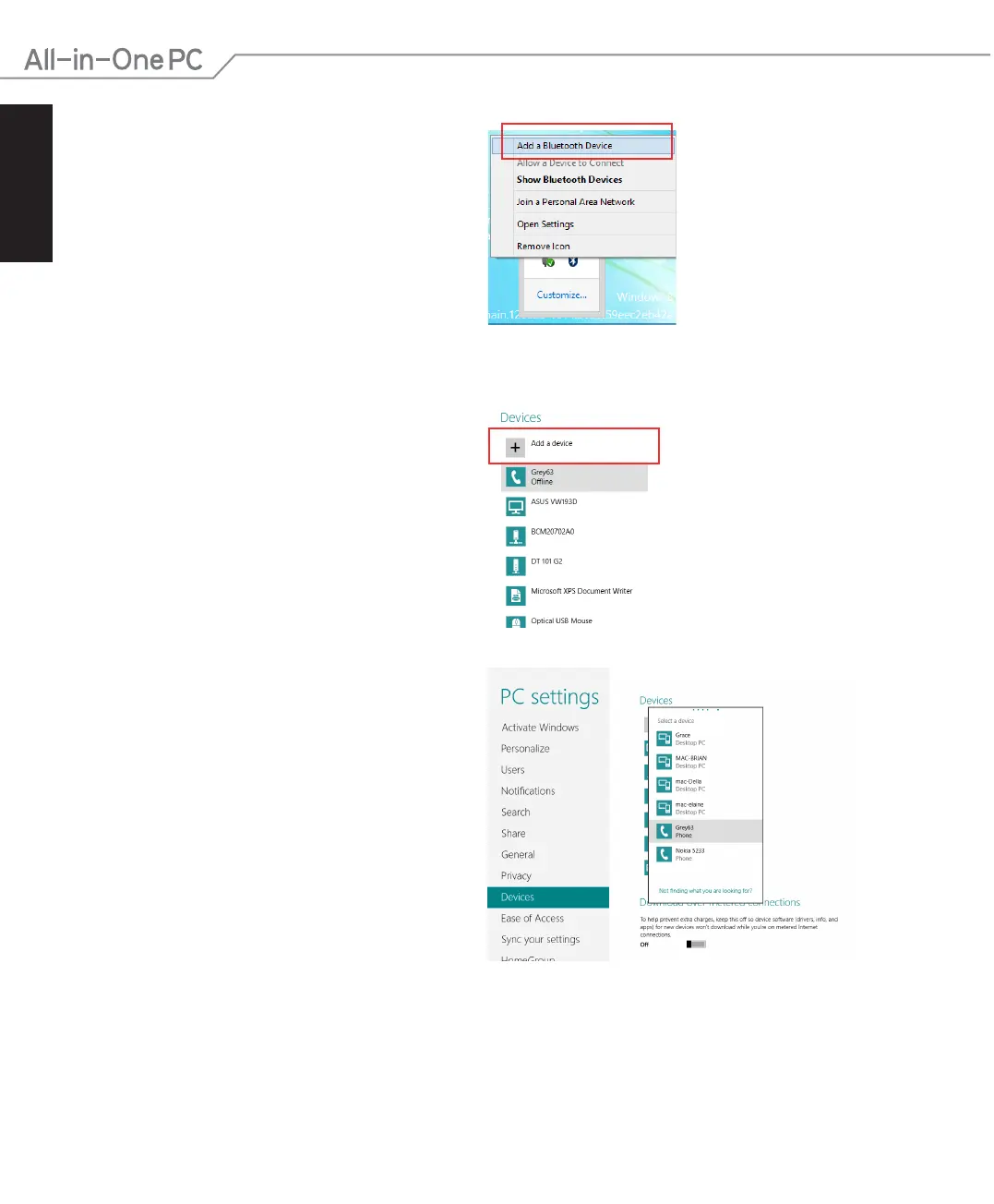
2. Click the Bluetooth logo on the System
Tray and select Add a Device from the
context menu .
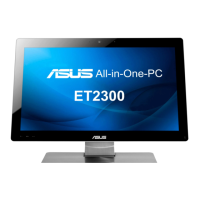
3. In the PC settings window, click Add a
device to look for an available Bluetooth
devices.
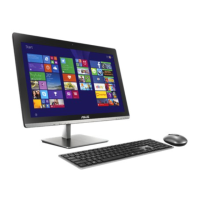
4. Select a Bluetooth device from the list.
5. From the Bluetooth passcode, select Yes to conrm and pair the All-in-One PC with the
Bluetooth device.


 To Next Page