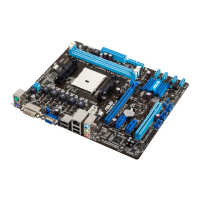
ASUS F2A85-V PRO
3-11
Chapter 3
DRAM Fixed Frequency Mode [300]
This item only appears when you set the DRAM Frequency Mode item to [Manual],
and allows you to set a xed DRAM frequency. Use the <+> and <-> keys to adjust the
value. The values range from 300k Hz to 500k Hz with a 50k Hz interval.
DRAM Power Phase Control [Auto]
[Auto] Allows you to set the Auto mode.
�Optimized Allows you to set the ASUS optimized phase tuning prole.
[Extreme] Allows you to set the full phase mode.
Do not remove the thermal module while changing the DIGI+ Power Control related
parrameters . The thermal conditions should be monitored.
CPU Voltage [Offset Mode]
�Manual Mode Allows you to set a xed CPU voltage.
[Offset Mode] Allows you to set the Offset voltage.
CPU Offset Mode Sign [+]
This item appears only when you set the CPU Voltage item to [Offset Mode].
[+] To offset the voltage by a positive value.
[–] To offset the voltage by a negative value.
CPU Offset Voltage [Auto]
This item appears only when you set the CPU Voltage item to [Offset Mode] and
allows you to set the Offset voltage. The values range from 0.00625V to 0.500V with a
0.00625V interval.
CPU Manual Voltage [Auto]
This item appears only when you set the CPU Voltage item to [Manual Mode] and
allows you to set a xed CPU voltage. The values range from 0.800V to 1.900V with a
0.00625V interval.
Refer to the CPU documentation before setting the CPU voltage. Setting a high voltage
may damage the CPU permanently, and setting a low voltage may make the system
unstable.
VDDNB Offset Mode Sign [+] Offset Mode Sign [+]
This item appears only when you set the CPU Voltage item to [Offset Mode].
[+] To offset the voltage by a positive value.
[–] To offset the voltage by a negative value.
VDDNB Offset Voltage [Auto]
This item appears only when you set the CPU Voltage item to [Offset Mode] and
allows you to set the VDDNB Offset voltage. The values range from 0.00625V to
0.500V with a 0.00625V interval.


 To Next Page