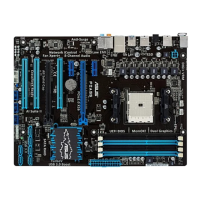
ASUS F2A85-V PRO
3-27
Chapter 3
Option ROM Messages [Force BIOS]
[Force BIOS] The third-party ROM messages will be forced to display during the boot
sequence.
[Keep Current] The third-party ROM messages will be displayed only if the third-party
manufacturer had set the add-on device to do so.
Next boot after AC Power Loss [Normal Boot]
[Normal Boot] Returns to normal boot on the next boot after an AC power loss.
[Fast Boot] Accelerates the boot speed on the next boot after an AC power loss.
CSM Parameters
This option controls whether or not CSM will be launched.
Launch CSM [Auto]
Conguration option: �Auto �Enabled �Disabled[Enabled] [Disabled]
The following four items appear only when you set Launch CSM to [Enabled].
Boot option filter [UEFI and Legacy OpROM]
Conguration option: �UEFI and Legacy OpROM �Legacy OpROM only �UEFI only
Boot from Network Devices [Legacy OpROM first]
Conguration option: �Legacy OpROM rst �UEFI driver rst �Ignore
Boot from Storage Devices [Legacy OpROM first]
Conguration option: �Both, Legacy OpRom rst �Both, UEFI driver rst �Legacy
OpROM rst �UEFI driver rst �Ignore
Boot from PCIe/PCI Expansion Devices [Legacy OpROM first]
Conguration option: �Legacy OpROM rst �UEFI driver rst
Security Boot parameters
This option allows you to congure the Secure Boot related parameters.
OS Type [Other Legacy & UEFI]
Conguration option: �Windows 8 UEFI �Other Legacy & UEFI
Secure Boot Mode [Standard]
This item appears only when you set the OS Type to [Windows 8 UEFI. Conguration
option: [Standard] [Custom]
The following items appear when Secure Boot Mode is set to [Custom].
Image Execution Policy
Internal FV [Always Execute]
Conguration options: �Always Execute
Option ROM [Deny Execute]
Conguration options: �Always Execute �Always Deny �Allow Execute �Defer
Execute] [Deny Execute] [Query Execute]


 To Next Page