45
Using the Notebook PC 4
In-play sensitivity switching
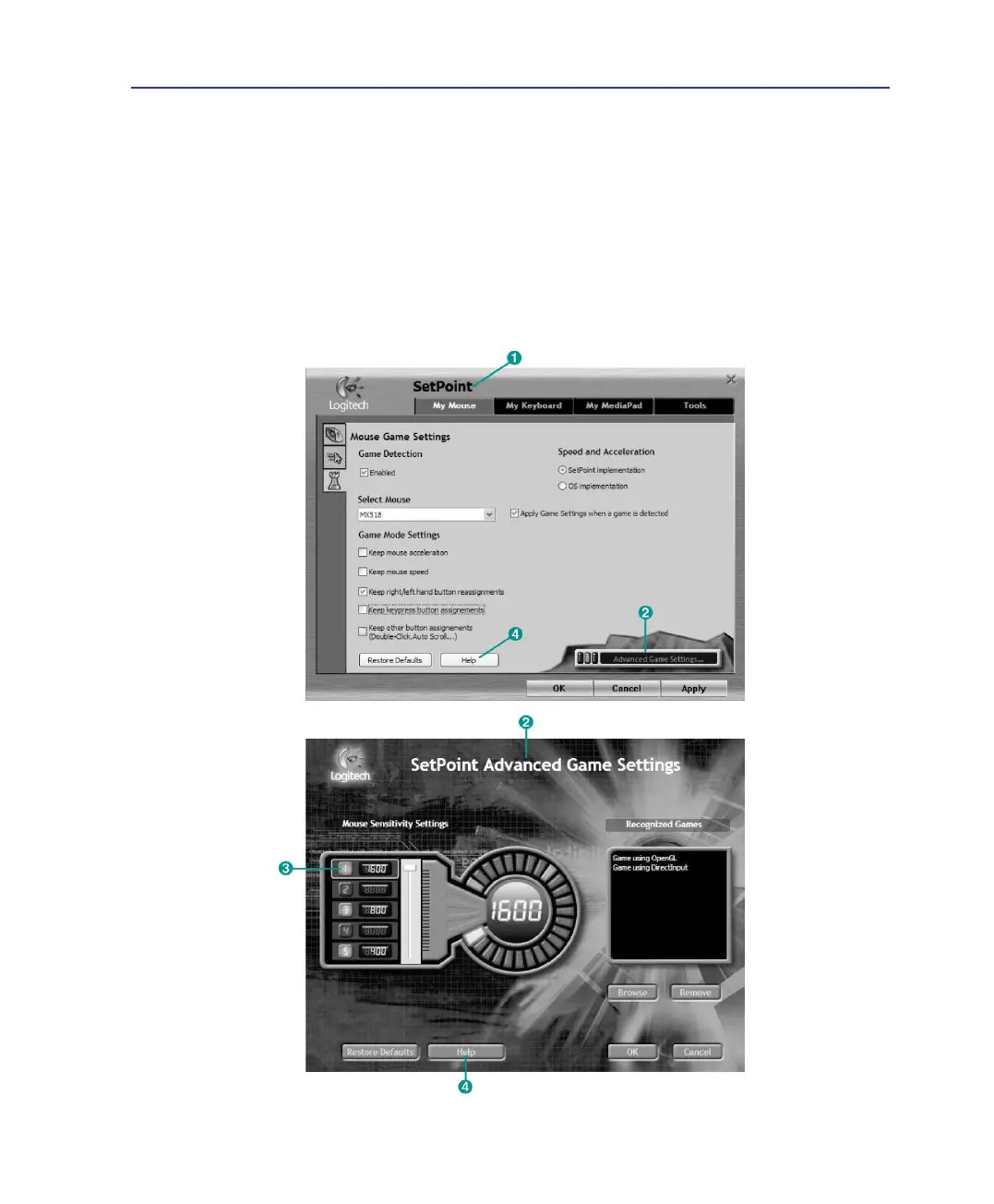
The mouse has out-of-box access to three levels of tracking sensitivity - 1600dpi, 800dpi, and 400dpi.
800dpi is the default setting. Use the SetPoint software that comes with the mouse (1) and its Advanced
Game Settings feature (2) to congure up to ve personalized sensitivity levels between 400dpi and
1600dpi. Sensitivity levels require an ascending order (3). Refer to the software help system (4) to learn
how to choose sensitivity levels, and to learn more about the mouse and its software.
Gaming Optical Mouse (on selected models) Cont.



 To Next Page