44
4 Using the Notebook PC
Gaming Optical Mouse (on selected models)
The gaming optical mouse is a standard mouse with some added software features for easier controls
when playing games.
(continued on next page)
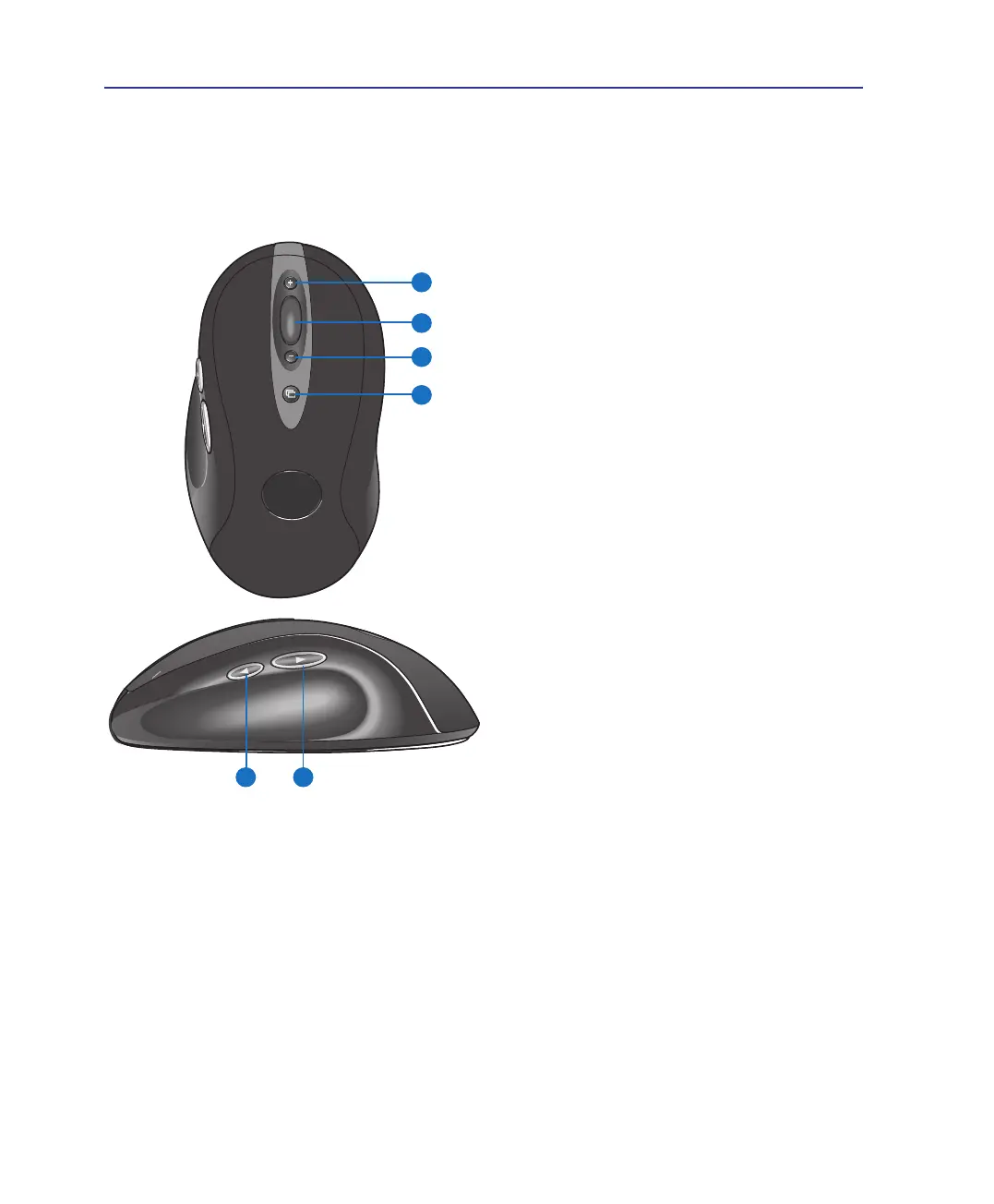
Parts of the mouse (top)
(1) In-game dpi Increase: Press button to increase
dpi of tracking sensitivity.
(2) Scrolling and Zooming: Roll wheel up to scroll
up; roll wheel down to scroll down. To zoom,
press wheel down, and then roll wheel up to zoom
in; roll wheel down to zoom out. Press any but-
ton to release zoom. (Not all applications support
zooming.)
(3) In-game dpi Decrease: Press button to decrease
dpi of tracking sensitivity.
(4) Application Switch Button: Press to switch
between open documents.
Parts of the mouse (side)
(5) Forward Button
(6) Back Button: Use both buttons with your web
browser or with other applications.



 To Next Page