Installing a swappable Solid State Drive (SSD)
To install a swappable SSD
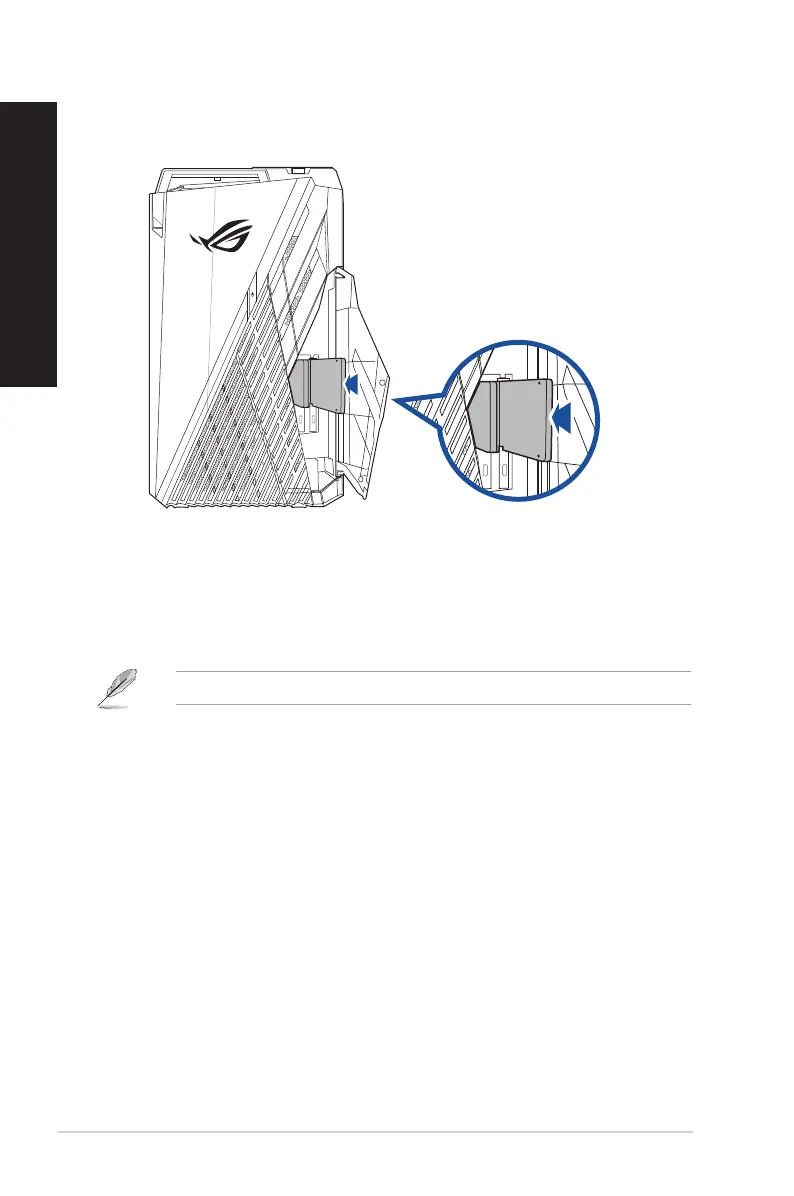
1. Open the SSD compartment cover.
2. Push the swappable SSD gently into the SSD bay.
3. Select a program from the AutoPlay window to access your les.
You can only use the 7mm SSD in this module (optional).
16 Chapter 1: Getting started
ENGLISH
ENGLISH


 To Next Page