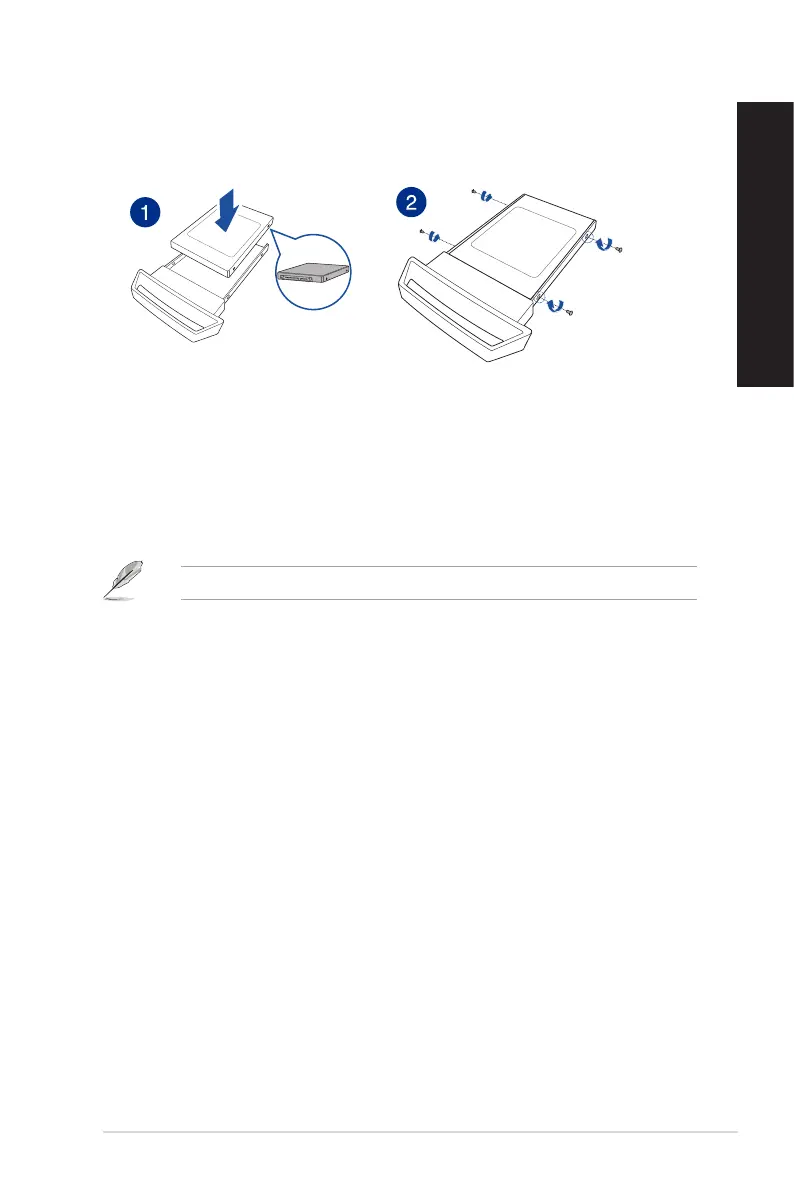
Installing a swappable Solid State Drive (SSD)
To install a swappable SSD
1. Place the SSD on the SSD module tray with the label side facing up and the connectors
facing the end of the tray.
2. Mount and secure the SSD to the tray with the screws that came along with your product.
3. Push the tray gently into the SSD bay.
4. Select a program from the AutoPlay window to access your files.
You can only use the 7mm SSD in this module.
ASUS GL12CX 15
ENGLISH
ENGLISH



 To Next Page