Need help?
Do you have a question about the Asus MB165B and is the answer not in the manual?
Device compliance with FCC Part 15 rules for operation and interference.
Compliance with EU directives and proper electronic waste disposal procedures.
Guidelines for safe setup, handling, and operation to prevent hazards.
Proper use of the power cord and grounding for electrical safety.
Preventing tip-over accidents by ensuring stable placement and furniture anchoring.
Instructions for safely cleaning the monitor surface and screen.
Understanding common screen behaviors like brightness variation and afterimages.
Details on what's included and a welcome message for the new USB monitor.
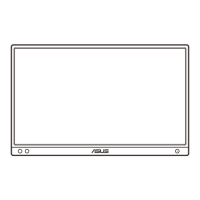
Overview of the monitor's front view, ports, and auto-rotation capability.
Guide to monitor standing positions and connecting the USB cable.
Detailed technical data for the ASUS MB165B USB monitor.
Solutions for common problems like power, screen image, and color defects.
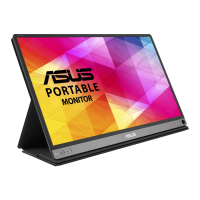
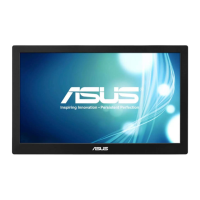
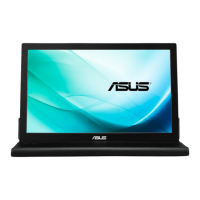
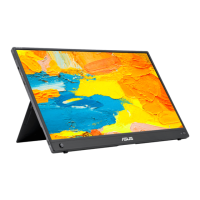
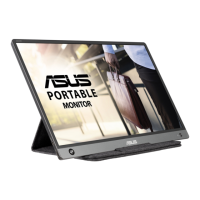
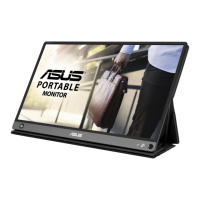
The ASUS MB165B is a portable USB monitor designed to enhance daily viewing experiences with its great portability and simplicity. It functions as an external display, connecting to a PC or notebook via a USB cable to extend or mirror the desktop.
The primary function of the ASUS MB165B is to provide an additional display for users on the go. It operates as a USB monitor, meaning it receives both power and video signals through a single USB connection. This design simplifies setup and reduces cable clutter, making it ideal for mobile professionals, students, or anyone needing extra screen real estate without a complex setup. The monitor is equipped with a G-sensor, enabling an auto-rotate feature that automatically adjusts the screen orientation between landscape and portrait modes based on the monitor's physical position. This intelligent feature requires the DisplayWidget software to be installed on a Windows OS for full functionality. The monitor has a power button/power indicator that allows users to turn the device on or off. The power indicator's color (blue, amber, or dark) provides a quick visual cue about the monitor's current status (ON, Standby mode, or OFF, respectively). For connectivity, the MB165B features a Micro B USB 3.0 port for its primary connection to a PC/NB, and an additional Micro B USB 2.0 port that can be used to provide extra power if the USB 3.0 connection alone does not supply sufficient power from the connected device.
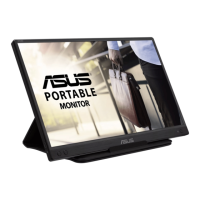
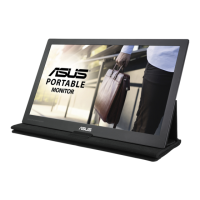
The ASUS MB165B is designed for ease of use and portability. Its lightweight and compact form factor, combined with a protective sleeve, make it convenient to carry. The monitor's standing positions are versatile, allowing it to be set up in various orientations to suit different viewing preferences, whether for work, presentations, or entertainment. Users can easily switch between landscape and portrait modes, which is particularly useful for viewing documents, coding, or browsing web pages. The auto-rotate function, powered by a G-sensor and supported by the DisplayWidget software, ensures a seamless transition between these orientations without manual adjustment of display settings.
Connecting the monitor is straightforward: users need to download and install the necessary display driver from the ASUS product page, and then connect the monitor to their PC/NB using the provided Micro B USB 3.0 cable. If the primary USB 3.0 connection doesn't provide enough power, the additional Micro B USB 2.0 port can be utilized for supplementary power. The monitor's intuitive power button and indicator make it simple to manage its on/off status. The display settings, such as brightness, can be adjusted via the monitor's controls, allowing users to optimize their viewing experience. The MB165B is compatible with Windows OS for its advanced features like auto-rotation, ensuring a broad range of users can benefit from its capabilities.
Proper care and maintenance are crucial for ensuring the longevity and optimal performance of the ASUS MB165B. For cleaning, it is recommended to turn off the monitor and unplug the power cord. The monitor surface should be cleaned with a lint-free, non-abrasive cloth. For stubborn stains, a cloth dampened with a mild cleaner can be used. It is important to avoid cleaners containing alcohol or acetone and to use only cleaners specifically intended for LCDs. Never spray cleaner directly onto the screen, as this could lead to liquid dripping inside the monitor and causing an electric shock.
Users should be aware of normal monitor symptoms, such as slightly uneven brightness depending on the desktop pattern or afterimages if the same image is displayed for extended periods. These are typically not indicative of a fault and the screen will recover over time, or by turning off the power for a few hours. In case of technical problems, such as a black or flashing screen, or if the monitor stops working, users are advised to contact their dealer or a qualified service technician rather than attempting repairs themselves.
To prevent injury or damage, several safety guidelines must be followed. The monitor should be set up on a stable surface, away from dust, humidity, and extreme temperatures. It should never be exposed to rain or moisture, and the cabinet should not be opened. All cables must be correctly connected and undamaged. Objects or liquids should never be pushed or spilled into the monitor's slots. The monitor is powered by a USB port that complies with LPS and SELV circuit according to IEC60950-1:2005. If the power cord has a 3-pin attachment plug, it must be plugged into a grounded (earthed) 3-pin outlet, and the grounding pin should not be disabled. The product must be securely attached to the floor/wall if installation instructions recommend it, to prevent falls and potential injury. Children should be educated about the dangers of climbing on furniture to reach the product, and cords/cables should be routed to prevent tripping. The product should never be placed in an unstable location or on tall furniture without proper anchoring. Items that might tempt children to climb should not be placed on or near the monitor. If relocating the product, the same safety considerations apply.
 General
| Screen Size | 15.6 inches |
|---|---|
| Resolution | 1366 x 768 |
| Panel Type | IPS |
| Refresh Rate | 60 Hz |
| Connectivity | USB Type-C |
| Weight | 0.78 kg |
| Aspect Ratio | 16:9 |
| Pixel Pitch | 0.252 mm |
| Brightness | 220 cd/m² |
| Display Colors | 262K |
| Flicker-free | Yes |
| Viewing Angle | 178°/178° |

 To Next Page