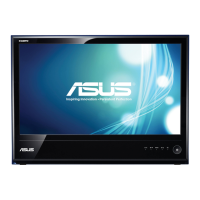
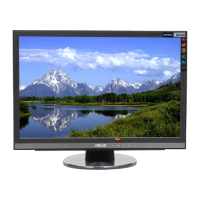
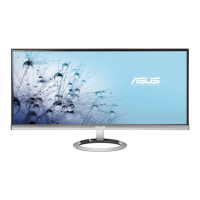
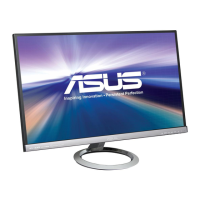
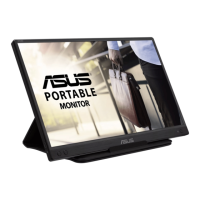
This document is a user guide for the ASUS M Series LCD Monitor, providing information on its features, setup, operation, and maintenance.
Function Description:
The ASUS M Series LCD Monitor is a widescreen LCD display designed to offer a crisp, broader, and brighter viewing experience. It supports various input sources and includes features to enhance visual quality and user convenience. The monitor is suitable for general computing tasks, document editing, movie watching, gaming, and photo display.
Important Technical Specifications:
- Panel Type: TFT LCD
- Panel Size: Available in 20", 23", and 23.6" (16:9) widescreen formats.
- Max. Resolution:
- 1920 x 1080 for MS236/MS238/MS246/MS248/ML238/ML239 models.
- 1600 x 900 for MS202/MS208 models.
- Pixel Pitch:
- 0.2715 mm (MS202/MS246/MS248)
- 0.2768 mm (MS208)
- 0.2655 mm (MS236/ML239)
- 0.2652 mm (MS238/ML238)
- Brightness (Max.): 250 cd/m²
- Contrast Ratio (Typ.): 1000:1
- Contrast Ratio (Max.):
- 50,000:1 for MS202/MS236/MS246 models.
- 10,000,000:1 for MS208/MS238/MS248/ML238 models.
- 50,000,000:1 for ML239 model.
- Viewing Angle (H/V) CR>10:
- 170°/160° (Typ.) for MS202/MS208 models.
- 170°/170° (Min.), 178°/178° (Typ.) for ML239 model.
- 150°/140° (Min.), 170°/160° (Typ.) for MS236/MS238/MS246/MS248/ML238 models.
- Display Colors: 16.7 Million
- Response Time:
- 2 ms for MS236/MS238/MS246/MS248/ML238 models.
- 5 ms for MS202/MS208/ML239 models.
- SPLENDID™ Video Enhancement: Yes
- SPLENDID™ Selection: 6 video preset modes (by hotkey).
- Auto Adjustment: Yes (by hotkey).
- Color Temperature Selection: 4 color temperatures.
- Skin-Tone Selection: 3 skin-tones.
- Digital Input: HDMI v1.3 (MS236/MS238/MS246/MS248/ML238/ML239).
- Analog Input: D-Sub.
- Earphone Jack: Yes (Only for HDMI).
- Colors:
- Black (front & black side) for MS208/MS238/MS248/ML239.
- Black (front side)/White (back side) for MS202/MS236/MS246/ML238.
- Power LED: White (On)/White (Standby).
- Tilt: +20° ~ -5°.
- Swivel: +20° ~ -20° (ML238/ML239).
- Kensington Lock: Yes.
- AC/DC Adaptor Input Voltage: AC: 100~240V (For use only with power supply via Asus ADP-40PH AB).
- Power Consumption: On: < 30 W, Standby: < 1 W, Power Off: < 1 W.
- Temperature (Operating): 0°C~40°C.
- Temperature (Non-operating): -20°C~+60°C.
- Dimensions (W x H x D):
- 497mm362mm151mm (machine) / 555mm415mm129mm (package) for MS202/MS208.
- 566mm407mm151mm (machine) / 640mm510mm145mm (package) for MS246/MS248.
- 568mm414mm151mm (machine) / 640mm482mm126mm (package) for MS236/MS238.
- 561mm429mm220mm (machine) / 640mm482mm126mm (package) for ML238/ML239.
- Weight (Esti.):
- 2.95±0.5Kg (Net) / 4.85±0.5 Kg (Gross) for MS202.
- 2.64±0.5Kg (Net) / 4.54±0.5 Kg (Gross) for MS208.
- 3.9±0.5Kg (Net) / 6.3±0.5 Kg (Gross) for MS246/MS248.
- 3.9±0.5Kg (Net) / 6.0±0.5 Kg (Gross) for MS236.
- 3.4±0.5Kg (Net) / 5.2±0.5 Kg (Gross) for MS238.
- 3.8±0.5Kg (Net) / 6.0±0.5 Kg (Gross) for ML238.
- 3.5±0.5Kg (Net) / 5.7±0.5 Kg (Gross) for ML239.
- Multi-languages: 11 languages (English, German, Italian, French, Dutch, Spanish, Russian, Traditional Chinese, Simplified Chinese, Japanese, Korean).
- Accessories: VGA cable, HDMI-DVI cable (specific models), Power cord, Power adapter, Quick start guide, Warranty card. DVI cable (specific models).
- Regulation Approvals: Energy Star®, CB, CE, Gost-R, CCC, UL/cUL, FCC, C-Tick, BSMI, VCCI, RoHS, WEEE, J-MOSS, PSB, PSE, Windows Vista, Windows 7 WHQL.
- Backlight System: 2CCFL (MS202/MS236/MS246), LED (MS208/MS238/MS248/ML238/ML239).
- Supported Operating Modes: The monitor supports various resolutions and frequencies, including standard VESA modes and full HD (480p, 576p, 720p, 1080i/p) video content via HDMI from game consoles, DVD players, and other consumer video devices.
Usage Features:
- OSD (On-Screen Display) Menu: Provides comprehensive controls for monitor settings.
- Navigation: Uses MENU, /▼, and /▲ buttons to navigate and select options.
- Splendid Function: Offers six preset video modes (Scenery, Standard, Theater, Game, Night View, sRGB) for optimized viewing based on content. Each mode allows for reset to default settings.
- Standard Mode: Best for document editing.
- Theater Mode: Best for movies.
- Game Mode: Best for gaming.
- Scenery Mode: Best for photo display.
- Night View Mode: Best for dark-scene games or movies.
- sRGB Mode: Best for viewing photos and graphics from PCs.
- Note: In Standard Mode, ASCR, Saturation, and Sharpness are not user-configurable.
- Color Settings: Adjusts Brightness, Contrast, Saturation, Color Temp. (Cool, Normal, Warm, User Mode), Skin Tone (Reddish, Natural, Yellowish), and Smart View for better display quality at wide viewing angles (ML239 excluded from Smart View). Brightness and Contrast have hotkeys.
- Image Settings: Adjusts Sharpness, Trace Free (response time), Aspect Control (Full, 4:3, Overscan for HDMI input), ASCR (ASUS Smart Contrast Ratio) on/off, Position (H-Position, V-Position for VGA only), and Focus (Phase, Clock for VGA only) to reduce noise and adjust image proportionality.
- Note: Trace Free is not available on MS202 & MS208 models.
- Input Select: Allows selection of desired input source (VGA or HDMI).
- System Setup:
- Splendid Demo Mode: Splits the screen to compare Splendid modes.
- Volume: Adjusts audio output (0-100).
- ECO Mode: Reduces power consumption.
- OSD Setup: Adjusts OSD position (H-Position, V-Position), OSD timeout (10-120 seconds), and enables/disables DDC/CI function.
- Information: Displays monitor information.
- Language: Selects from 11 languages.
- All Reset: Restores default settings.
- Front Panel Controls:
- S/A button (1): Selects preset modes, exits OSD/returns to previous menu, and performs auto-adjustment for VGA mode (2-4 seconds press).
- ▼/ button (2): Decreases values, moves selection left/down, Contrast hotkey.
- MENU button (3): Turns on OSD, enacts selected OSD item.
- ▲/ button (4): Increases values, moves selection right/up, Brightness hotkey.
- Input Select button (5): Selects available input source.
- Power button/indicator (6): Turns monitor on/off. Indicator is white for ON, white (fitful) for Standby, and OFF for OFF.
- Rear Connectors:
- DC-IN port (1): Connects power cord.
- VGA port (2): 15-pin port for PC VGA connection.
- HDMI port (3): For connection with HDMI compatible devices.
- Earphone jack (4): Available only when an HDMI cable is connected.
- Kensington lock slot (5): For security.
- DVI port (6): For PC DVI connection (on N SKU 20" models).
- Assembly: The monitor arm and base are assembled by aligning pins and securing with screws using a coin. Soft cloth is recommended to prevent damage during assembly.
- Adjustability: The monitor can be tilted from +20° to -5°. ML Series monitors also allow 20° swivel adjustment (left or right).
- Cable Connection: Instructions are provided for connecting power, VGA/HDMI-DVI, and HDMI cables. Earphone use is only available with an HDMI cable (not the supplied HDMI-DVI cable).
- Troubleshooting (FAQ): Covers common issues such as power LED status, no screen image, image brightness/centering, image distortion, color defects, blurry image, and no/low sound, with corresponding solutions.
Maintenance Features:
- Care & Cleaning:
- Disconnect cables and power cord before lifting or repositioning.
- Grasp monitor edges when lifting/carrying; do not lift by stand or cord.
- Turn off and unplug before cleaning.
- Clean monitor surface with a lint-free, non-abrasive cloth.
- Stubborn stains can be removed with a cloth dampened with mild cleaner.
- Avoid cleaners with alcohol or acetone.
- Never spray cleaner directly on the screen.
- Safety Information:
- Read all documentation before setup.
- Do not expose to rain or moisture.
- Do not open the monitor cabinet due to high voltages.
- Contact qualified service technician for power supply issues.
- Ensure all cables are connected correctly and not damaged.
- Do not block ventilation slots.
- Operate only from indicated power source (100-240V AC).
- Use appropriate power plug.
- Do not overload power strips/extension cords.
- Avoid dust, humidity, temperature extremes; place on a stable surface.
- Unplug during lightning storms or prolonged non-use.
- Do not push objects or spill liquid into slots.
- Use with UL listed computers.
- Contact qualified service technician for technical problems.
- FCC Compliance: Device complies with Part 15 of FCC Rules. Shielded cables are required for connection to graphics card.
- Energy Star® Partner: Meets Energy Star® guidelines for energy efficiency.
- Canadian Department of Communications Statement: Complies with Class B limits for radio noise emissions.
- Normal Monitor Symptoms:
- Screen flicker during initial use (turn off/on power switch to resolve).
- Slightly uneven brightness depending on desktop pattern.
- Afterimage if the same image is displayed for hours (recovers slowly or by turning off power switch for hours).
- Black/flashing screen or non-functional monitor requires dealer/service center contact.
- Disposal: The crossed-out wheeled bin symbol indicates that the product (electrical, electronic equipment, and mercury-containing button cell battery) should not be placed in municipal waste. Follow local regulations for disposal.

 Need help?

 To Next Page
 General