NOTE:
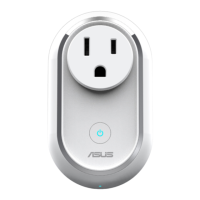
• EnsuretheASUSMW100ispluggedtoapowersource
before connecting. Refer to the LED indicator to check
the status of your device.
• Ensurethatyourdeviceiswithin100metersofyourASUS
SmartHome Gateway, and there are no obstructions such
as thick solid walls or other electronic devices that may
cause interference.
• TheLEDstatusindicatoronyourASUSSmartHome
Gateway will blink blue for sixty (60) seconds to indicate
that devices can be added.
• EnsuretoresetyourASUSSmartHomedeviceand
delete the device from the companion app to remove it
completely.
Additional information
• ThisdeviceissettoOFFbydefault.
• ThisdevicewillupdatedatatotheHomeGatewayevery10
minutes. You can view the data through the companion app.
• Whenthisdevicelosespower,thecompanionappwilldisplaya
gray icon and cannot be congured. The status will be updated
every 10 minutes.
7


 To Next Page