2-1
Chapter 2: Setup
2.1 Assembling the monitor base
2.1.1 Assembling the base
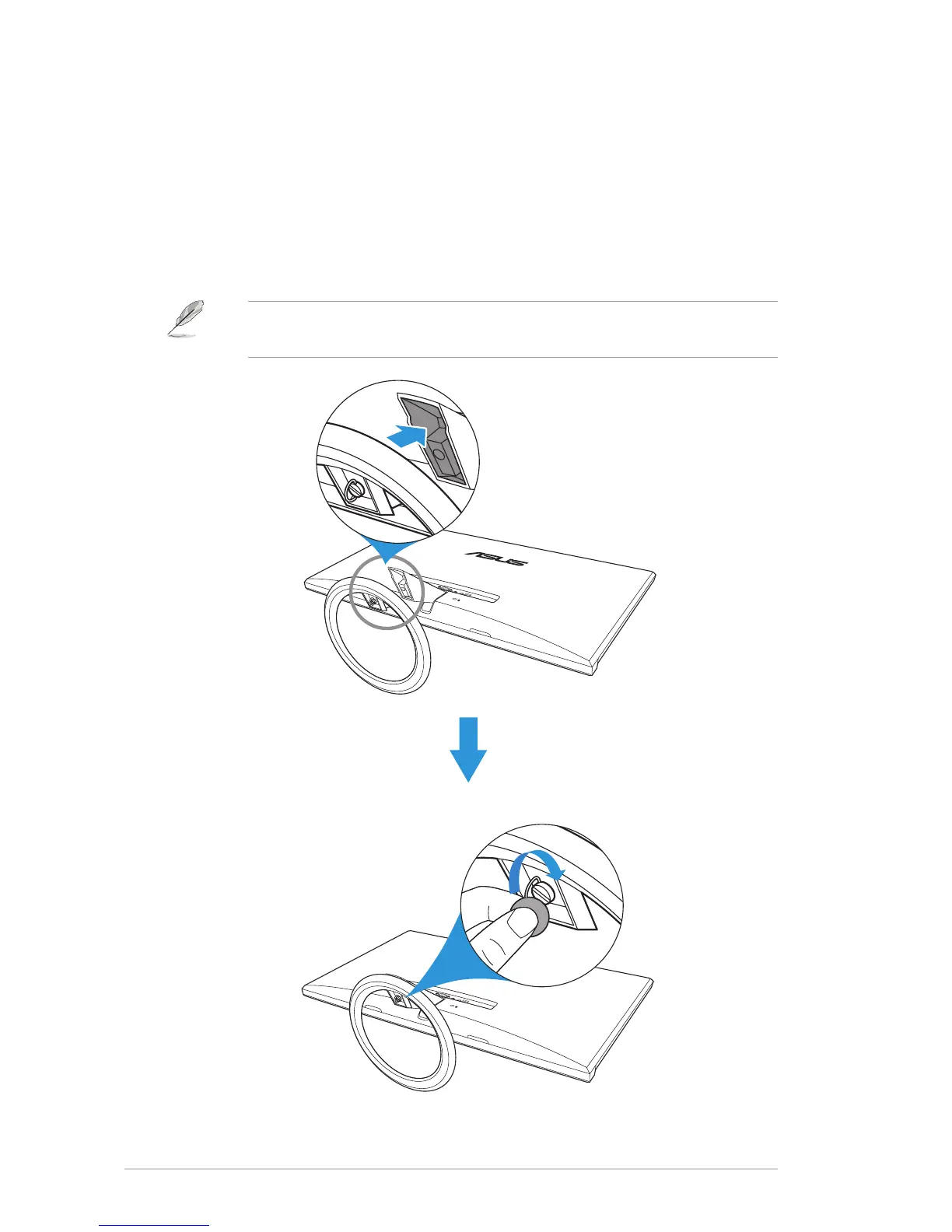
1. Have the front of the monitor face down on a table.
2. Attachthebasetothearmandxwiththescrewtojointhemtightly.
Youcaneasilytightenthescrewbyngers.
3. Adjust the monitor to the angle that is most comfortable for you.
We recommend that you cover the table surface with soft cloth to
prevent damage to the monitor.



 To Next Page