40
Notebook PC User Manual
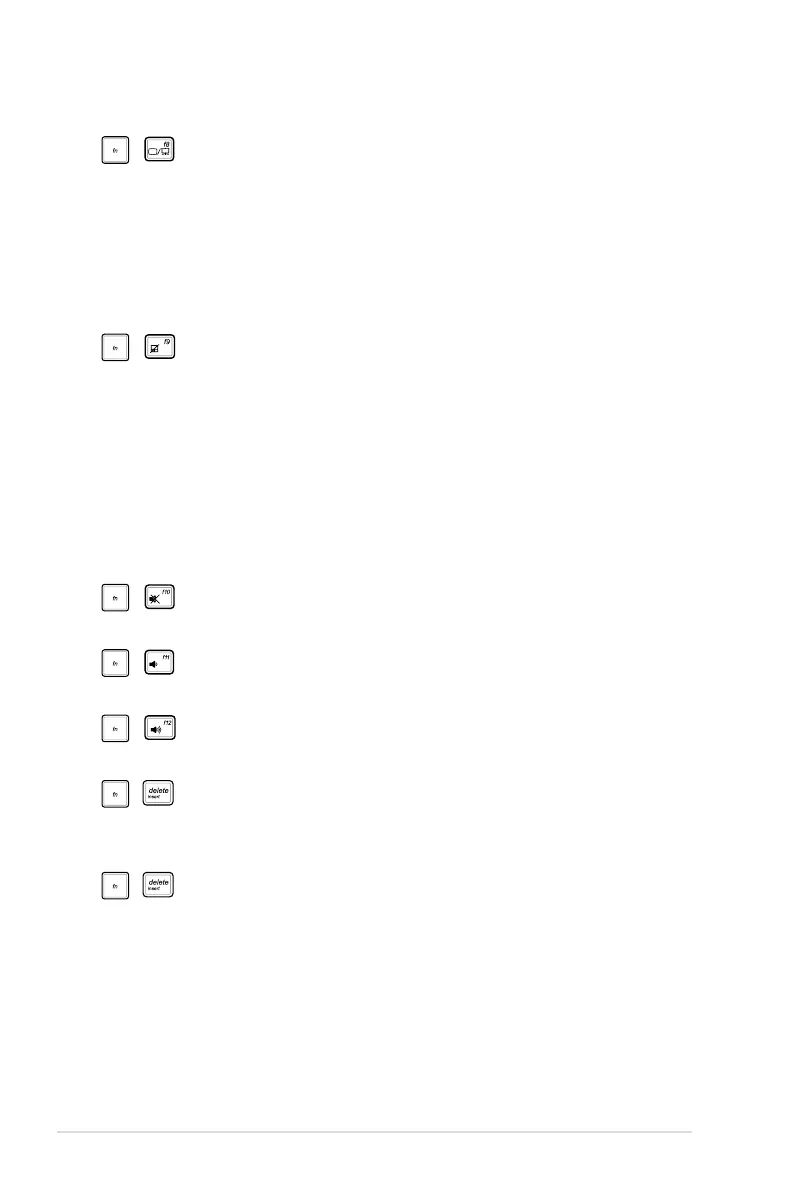
LCD/Monitor Icons (f8): Toggles between the Notebook
PC’s LCD display and an external monitor in this series:
LCD Only -> CRT Only (External Monitor) -> LCD + CRT
Clone -> LCD + CRT Extend. (This function does not
work in 256 Colors, select High Color in Display Property
Settings.) NOTE: Must connect an external monitor
“before” booting up.
Crossed-out Touchpad (f9) (on selected models):
Toggles the built-in touchpad LOCKED (disabled) and
UNLOCKED (enabled). Locking the touchpad will prevent
you from accidentally moving the pointer while typing
and is best used with an external pointing device such
as a mouse. NOTE: Selected models have an indicator
between the touchpad buttons will light when the
touchpad is UNLOCKED (enabled) and not light when the
touchpad is LOCKED (disabled).
Crossed Speaker Icons (f10):
Toggles the speakers ON and OFF (only in Windows OS)
Speaker Down Icon (f11):
Decreases the speaker volume (only in Windows OS)
Speaker Up Icon (f12):
Increases the speaker volume (only in Windows OS)
Num Lk (Ins): Toggles the “Scroll Lock” ON and OFF.
Allows you to use a larger portion of the keyboard for cell
navigation.
Num Lk (Ins): Toggles the numeric keypad (number lock)
ON and OFF. Allows you to use a larger portion of the
keyboard for number entering.


 To Next Page