A-6
Notebook PC User Manual
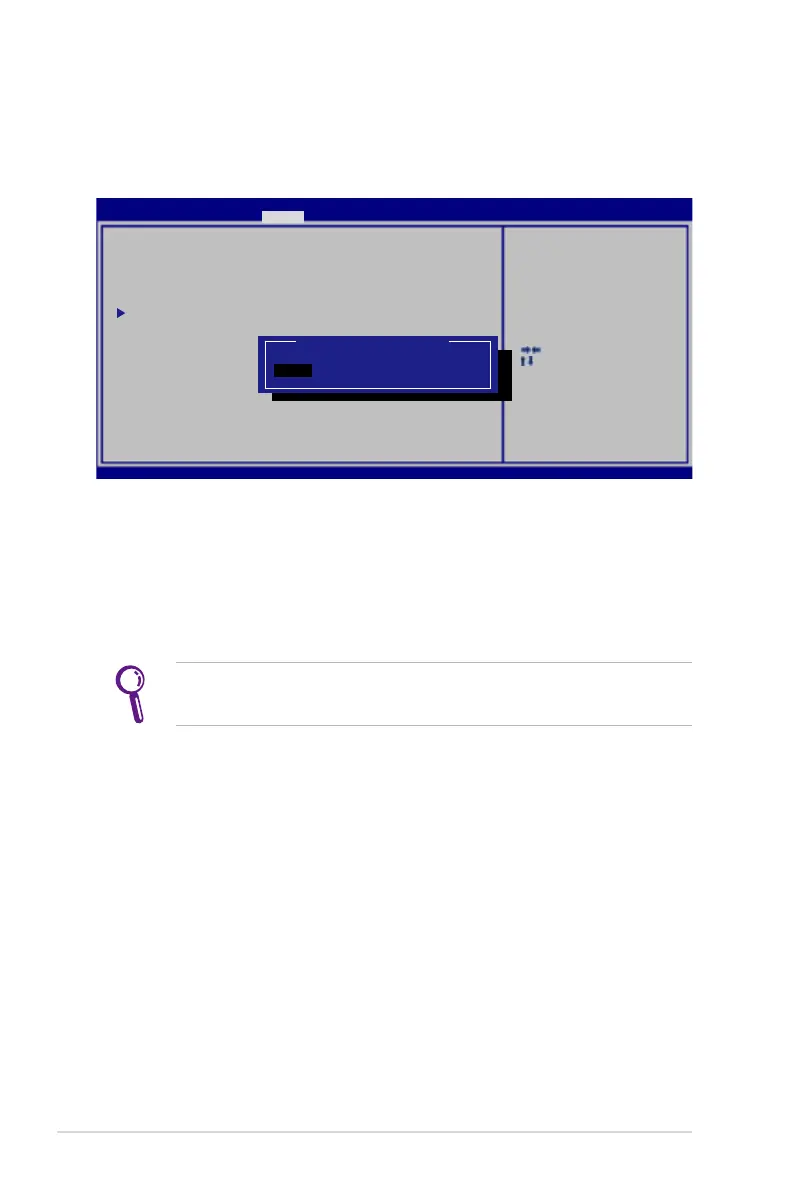
I/O Interface Security
To lock the I/O interface:
1. On the Security screen, select I/O Interface Security.
2. Select an interface you would like to lock and click Lock.
The I/O Interface Security settings can only be altered when
you log in with Administrator privilege.
: Se le ct S cr ee n
: Se le ct Ite m
Ent er : Sele ct
+/— : Ch an ge Opt .
F1: Gene ra l He lp
F9: Opti mi ze d De fa ul ts
F10 : Sa ve ES C: Ex it
Ver si on 2.0 1. 12 08 . Co py ri ght (C ) 20 11 A me ri ca n Me ga tr en ds, In c.
A pt io Set up U ti lity - C op yrig ht ( C) 201 1 Am er ican M eg atre nd s, I nc.
Sec ur it y
I /O Int er fa ce Sec ur it y
L AN Net wo rk I nter fa ce [Un Lo ck ]
W ir eles s Ne tw ork In te rf ace [Un Lo ck ]
H D AUDI O In te rfac e [Un Lo ck ]
S AT A OD D In te rfac e [Un Lo ck ]
US B In terf ac e Se curi ty
If Lo ck ed, 2n d SA TA H DD w il l be
dis ab le d.
LAN N et work I nt er face
Loc k
UnL oc k



 To Next Page