Notebook PC E-Manual
21
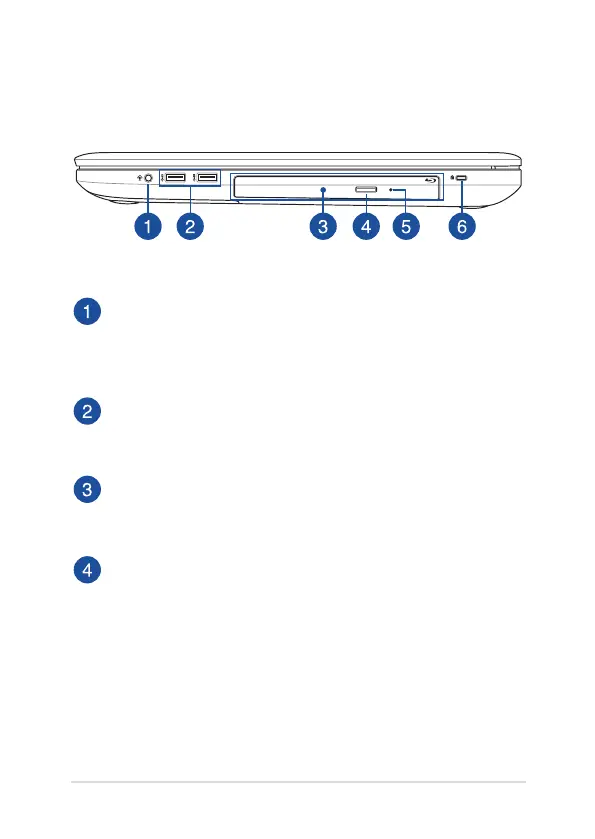
Right Side
Headphone/Headset/Microphone jack
This port allows you to connect amplied speakers or
headphones. You can also use this port to connect your headset
or an external microphone.
USB 3.0 port
The USB 3.0 (Universal Serial Bus 3.0) port provides a transfer rate
of up to 5 Gbit/s and is backward compatible to USB 2.0.
Optical drive
Your Notebook PC’s optical drive may support several disc
formats such as CDs, DVDs, recordable discs, or rewritable discs.
Optical disc drive eject button
Press this button to eject the optical drive tray.



 To Next Page