32 ASUS P3V4X User’s Manual
3.8 External Connectors
IMPORTANT: Ribbon cables should always be connected with the red stripe on
the Pin 1 side of the connector. The four corners of the connectors are labeled on
the motherboard. Pin 1 is the side closest to the power connector on hard drives
and floppy drives. IDE ribbon cable must be less than 46 cm (18 in), with the
second drive connector no more than 15 cm (6 in) from the first connector.
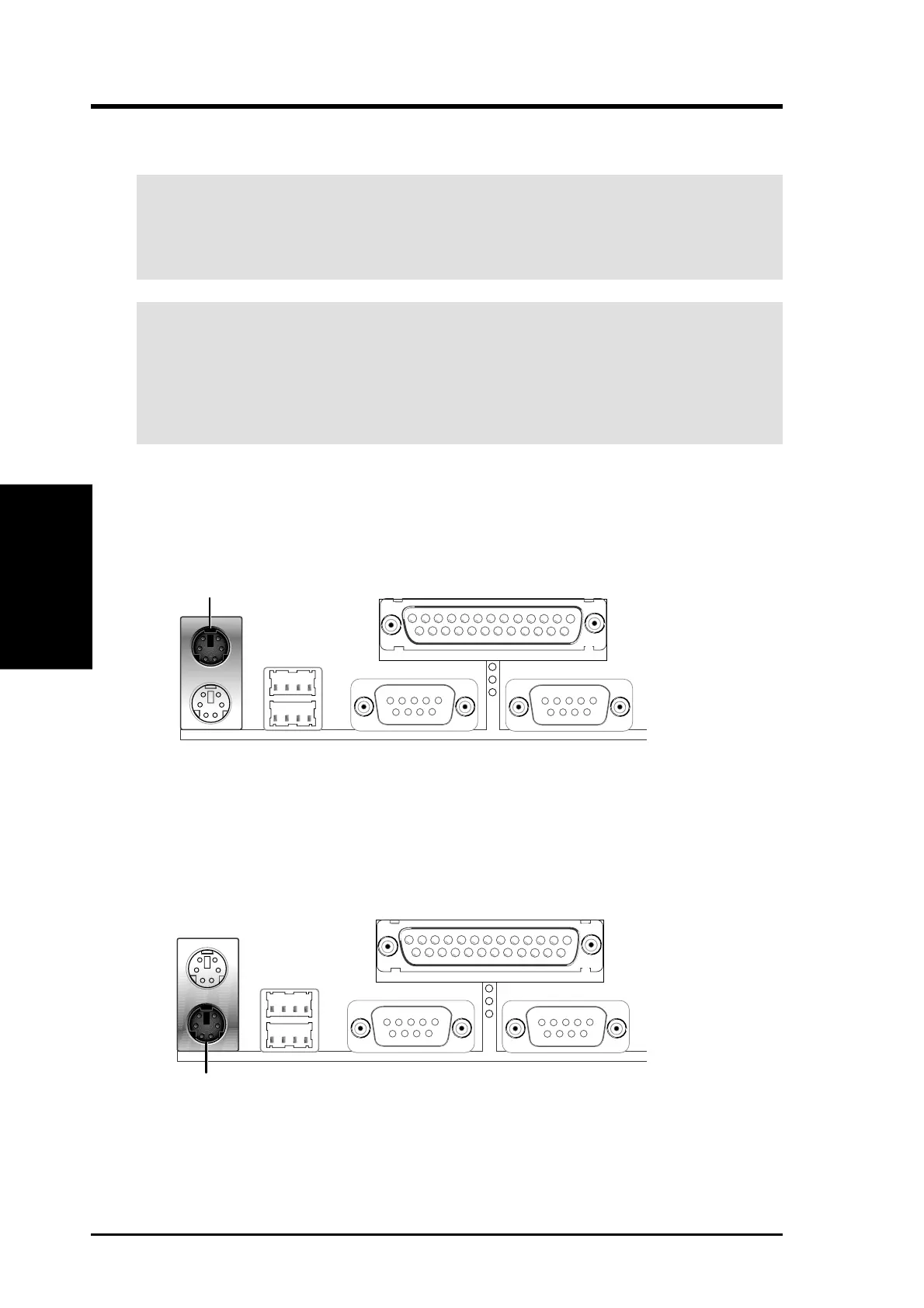
1. PS/2 Mouse Connector (6-pin female)
The system will direct IRQ12 to the PS/2 mouse if one is detected. If not de-
tected, expansion cards can use IRQ12. See PS/2 Mouse Function Control in
4.4 Advanced Menu.
PS/2 Mouse (6-pin Female)
2. PS/2 Keyboard Connector (6-pin female)
This connection is for a standard keyboard using an PS/2 plug (mini DIN). This
connector will not allow standard AT size (large DIN) keyboard plugs. You
may use a DIN to mini DIN adapter on standard AT keyboards.
PS/2 Keyboard (6-pin Female)
WARNING! Some pins are used for connectors or power sources. These are
clearly distinguished from jumpers in the motherboard layout. Placing jumper
caps over these connectors will cause damage to your motherboard.
Connectors
3. H/W SETUP
3. HARDWARE SETUP


 To Next Page