5-85-8
5-85-8
5-8
Chapter 5: Software supportChapter 5: Software support
Chapter 5: Software supportChapter 5: Software support
Chapter 5: Software support
5.3 IEEE 1394b driver information
You can connect your IEEE 1394b/a devices to the IEEE 1394b ports after
installing the IEEE 1394b/RJ-45 ports module and the TI IEEE 1394b driver.
The IEEE 1394b ports fully support most IEEE 1394b/a consumer
electronic (CE) devices, except IEEE 1394a digital video (DV) camcorders.
If you want to connect a DV camcorder or other IEEE 1394a devices to the
IEEE 1394b ports, use the Microsoft 1394 stack driver.
Your IEEE 1394a DV camcorder can achieve a maximum 100 Mbps data
transmission rate when connected to an IEEE 1394b port.
To switch to the Microsoft 1394 stack driver:
1. Right-click the
MyMy
MyMy
My
Computer Computer
Computer Computer
Computer icon on
your desktop, then
select
PropertiesProperties
PropertiesProperties
Properties.
2. Click the
HardwareHardware
HardwareHardware
Hardware
tab when the
SystemSystem
SystemSystem
System
PropertiesProperties
PropertiesProperties
Properties window
appears.
3. Click the
DeviceDevice
DeviceDevice
Device
Manager Manager
Manager Manager
Manager button to
display the installed
devices on your
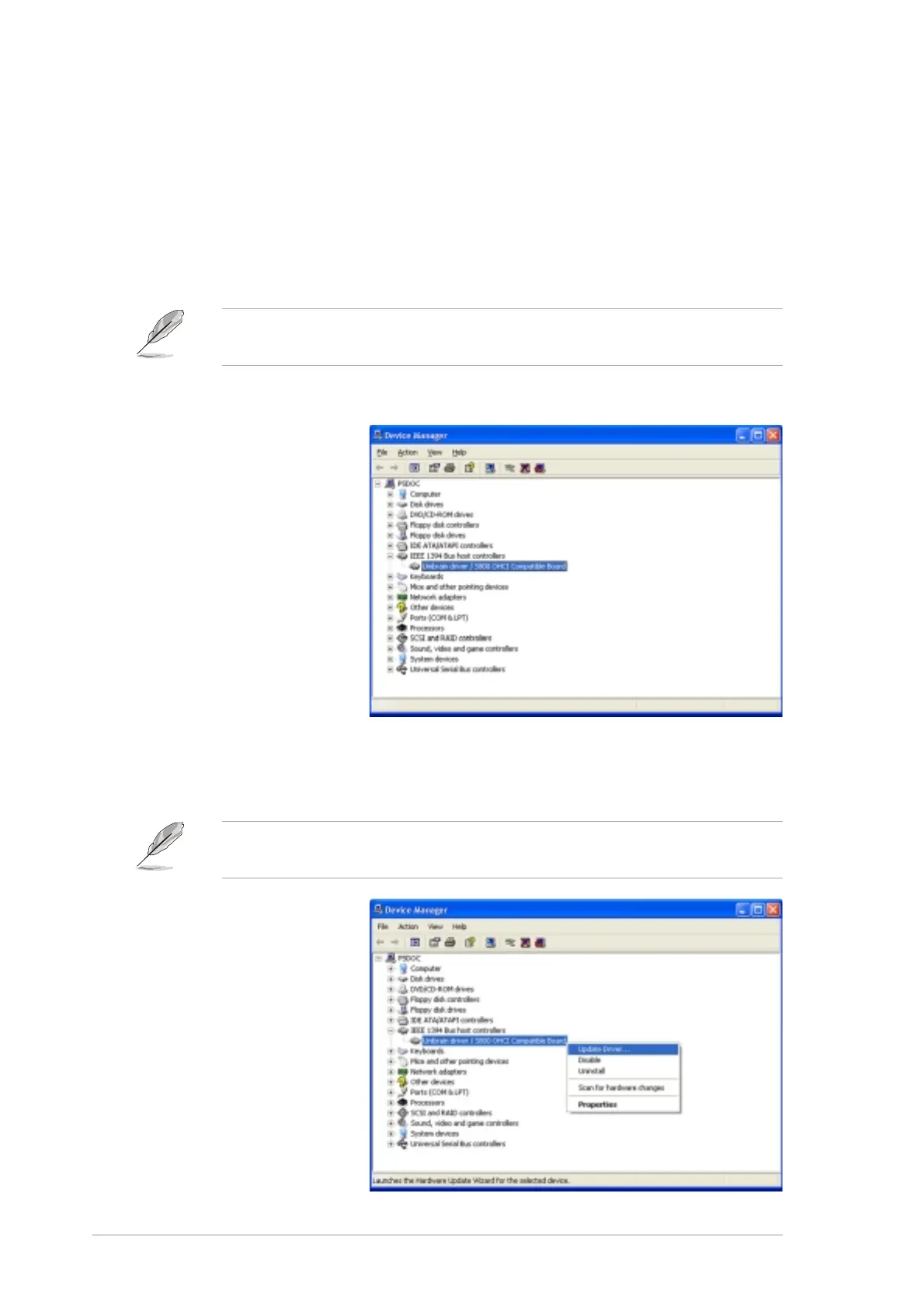
system, then click the (+) sign before the item
IEEE 1394 BusIEEE 1394 Bus
IEEE 1394 BusIEEE 1394 Bus
IEEE 1394 Bus
host controllershost controllers
host controllershost controllers
host controllers.
This item shows
Unibrain driver / S800 OHCI Compatible BoardUnibrain driver / S800 OHCI Compatible Board
Unibrain driver / S800 OHCI Compatible BoardUnibrain driver / S800 OHCI Compatible Board
Unibrain driver / S800 OHCI Compatible Board
if you previously installed the TI IEEE 1394b driver from the support CD.
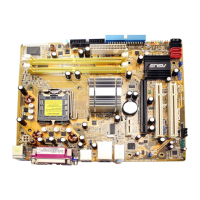
4. Right-click the IEEE
1394 controller
driver, then select
Update Driver Update Driver
Update Driver Update Driver
Update Driver to
display the Hardware
Update Wizard
Window.



 To Next Page