ASUS P5AD2-E PremiumASUS P5AD2-E Premium
ASUS P5AD2-E PremiumASUS P5AD2-E Premium
ASUS P5AD2-E Premium
5-395-39
5-395-39
5-39
5. When finished, press <Ctrl+Y> to save RAID set configuration.
6. Press <Esc> to exit.
Deleting a RAID arrayDeleting a RAID array
Deleting a RAID arrayDeleting a RAID array
Deleting a RAID array
This option allows you to delete an existing RAID set(s).
Take caution when deleting a RAID set. You will lose all data on the hard
disk drives when you delete a RAID set.
To delete a RAID set(s):
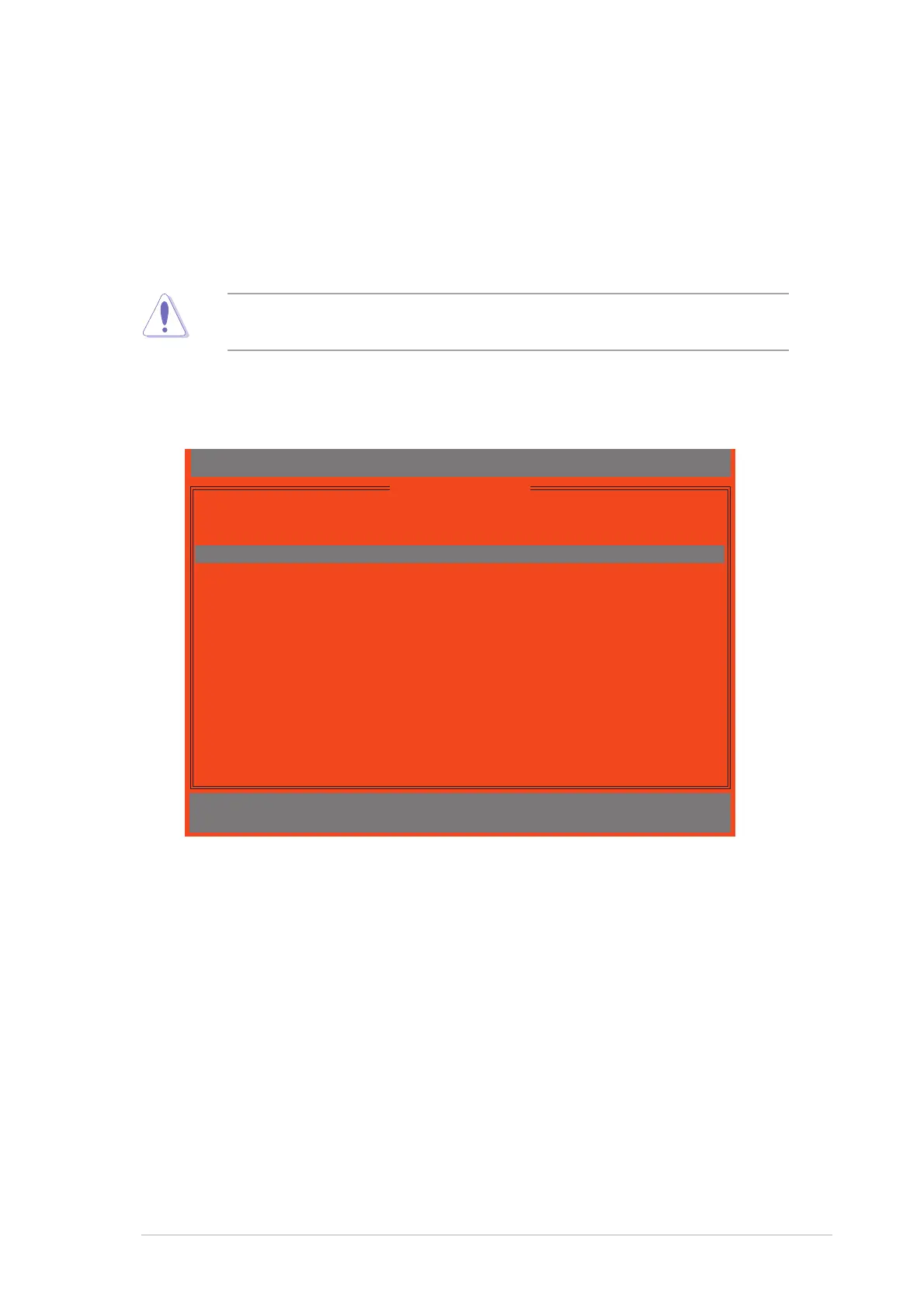
1. Press <3> from utility main menu. The following screen appears.
IT8212 Setup Utility (C)Copyright 2002-2004 ITE, Inc.
[ Delete RAID Menu ]
Array No Array Mode Drive No Size(MB) Status
Array 0 Stripe 2 XXXXXX Functional
Array 1 Mirror 2 XXXX Functional
Array 2 ---- ---- ----- -----
Array 3 ---- ---- ----- -----
∗∗
∗∗
∗ : Capacity (GB)
♦ ♦
♦ ♦
♦ : Bootable Array
[
↑↑
↑↑
↑] Up [
↓↓
↓↓
↓] Down [D] Delete [ESC] Exit
2. Press the up/down arrow keys to select the RAID set you want to
delete, then press <D>.
3. Press <Esc> to exit.



 To Next Page