5-125-12
5-125-12
5-12
Chapter 5: Software supportChapter 5: Software support
Chapter 5: Software supportChapter 5: Software support
Chapter 5: Software support
InformationInformation
InformationInformation
Information
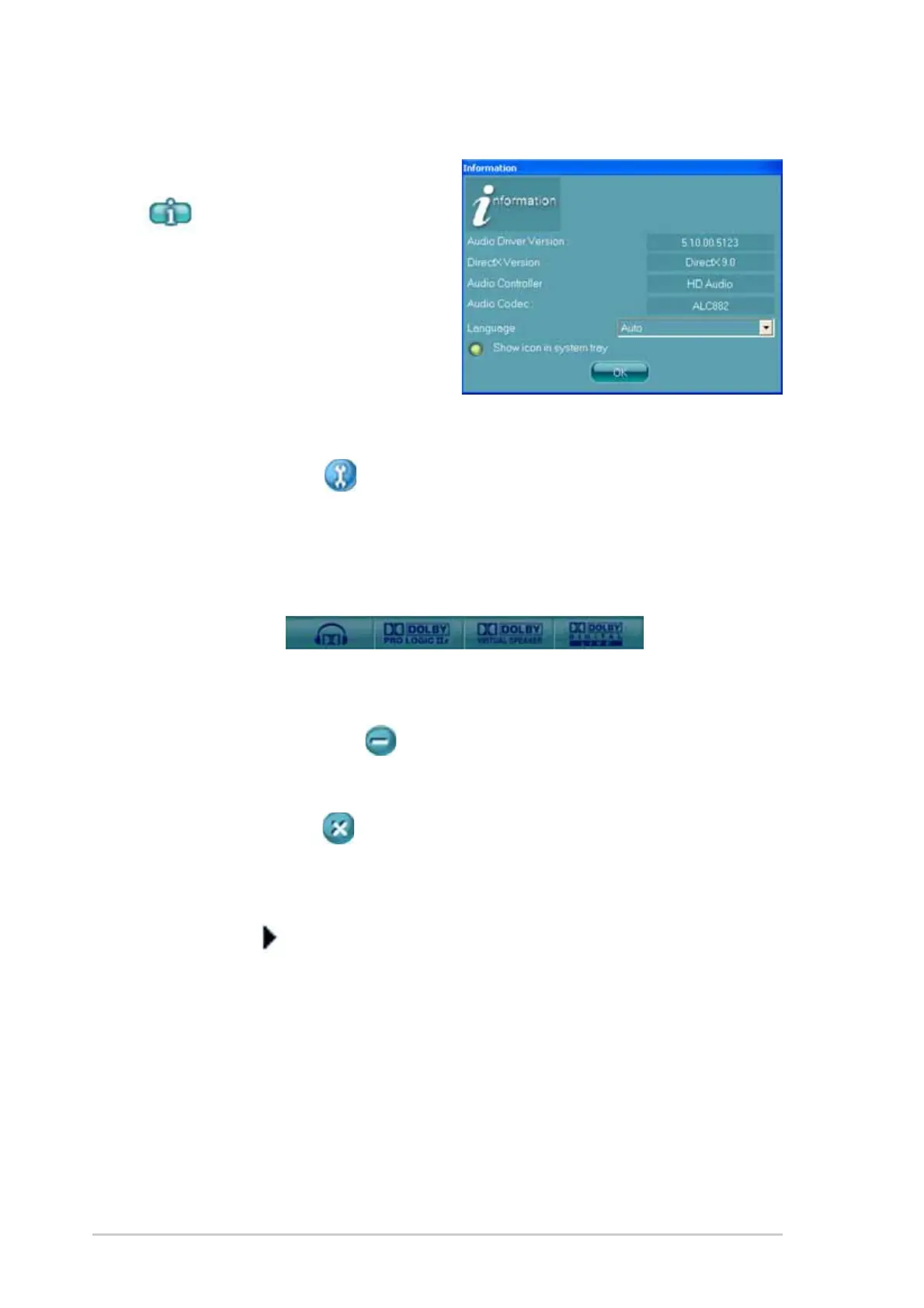
Click the information button
(
) to display information
about the audio driver version,
DirectX version, audio controller,
audio codec, and language setting.
ToolsTools
ToolsTools
Tools
Click the tool button ( ) to display tools for supported Dolby
®
applications.
DolbyDolby
DolbyDolby
Dolby
®®
®®
®
feature launch buttons feature launch buttons
feature launch buttons feature launch buttons
feature launch buttons
Click the button of the feature you want to launch.
MinimizeMinimize
MinimizeMinimize
Minimize
Click the minimize button ( ) to minimize the window.
ExitExit
ExitExit
Exit
Click the exit button ( ) to exit the Realtek HD Audio Manager.
Configuration optionsConfiguration options
Configuration optionsConfiguration options
Configuration options
Click any of the tabs in this area to configure your audio settings. Click the
arrow button (
) to display more options.



 To Next Page