6-26-2
6-26-2
6-2
Chapter 6: Chapter 6:
Chapter 6: Chapter 6:
Chapter 6:
ATIATI
ATIATI
ATI
®®
®®
®
MVP technology support MVP technology support
MVP technology support MVP technology support
MVP technology support
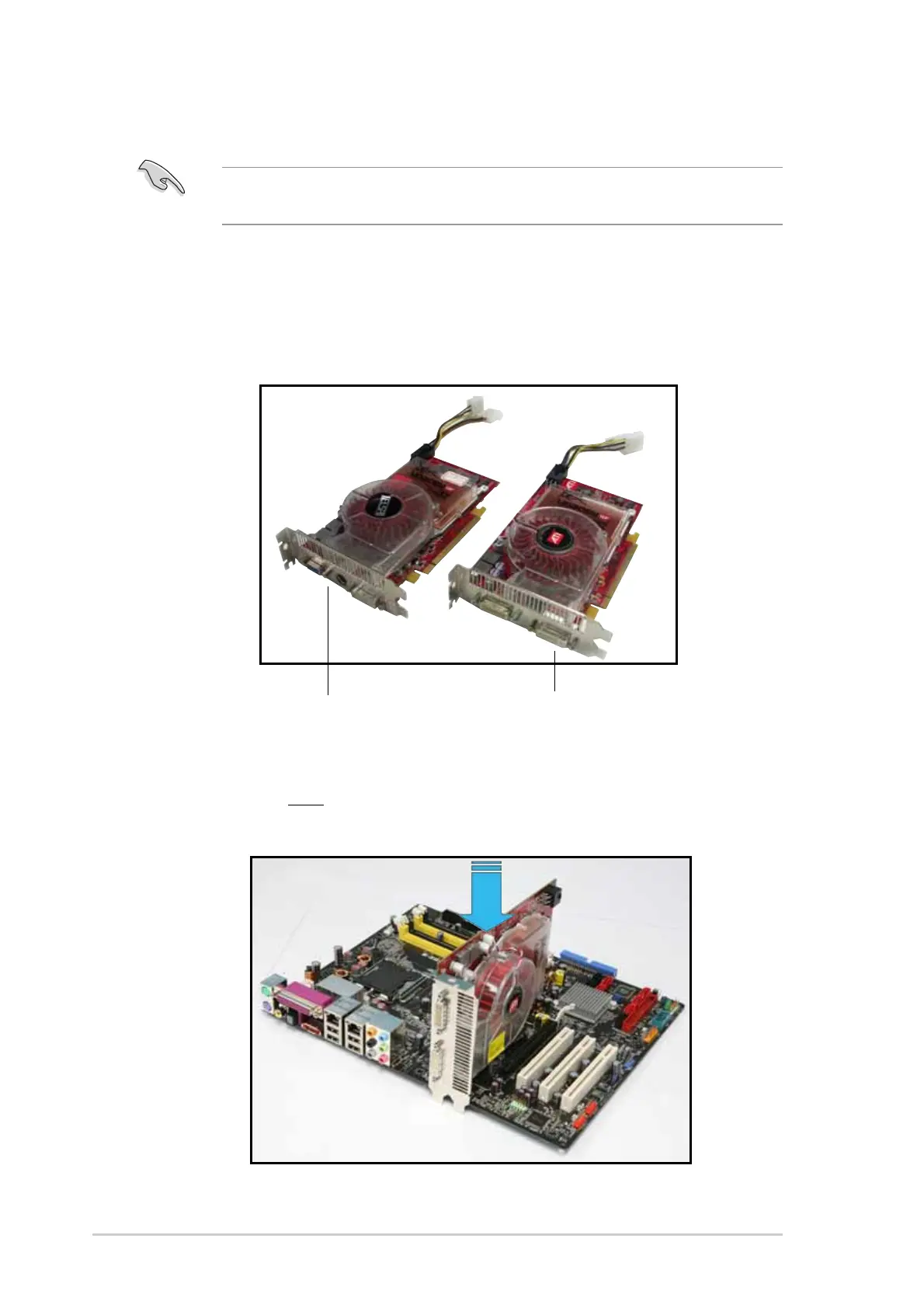
Slave graphics cardSlave graphics card
Slave graphics cardSlave graphics card
Slave graphics card
Master graphics cardMaster graphics card
Master graphics cardMaster graphics card
Master graphics card
2. Insert the CrossFire™ Edition (Master) graphics card into the PCI
Express x16 blue slot. Make sure that the card is properly seated on
the slot.
6.2 Installing CrossFire™ graphics cards
Before ins talling a CrossFire™ system, refer to the user guide that came
with the ATI
®
CrossFire™ Edition graphics card.
To install the graphics cards:
1. Prepare one CrossFire™ Edition (Master) graphics card and one
CrossFire™-ready (Slave) graphics card.



 To Next Page