ASUS P5WD2-E PremiumASUS P5WD2-E Premium
ASUS P5WD2-E PremiumASUS P5WD2-E Premium
ASUS P5WD2-E Premium
6-56-5
6-56-5
6-5
6.3 Software information
6.3.16.3.1
6.3.16.3.1
6.3.1
Installing the device driversInstalling the device drivers
Installing the device driversInstalling the device drivers
Installing the device drivers
Refer to the documentation that came with your graphics card package to
install the device drivers.
The ATI CrossFire™ technology supports only the following operating
systems:
• Windows
®
XP 32-bit (Home or Professional) with Service
Pack 2 (SP2)
• Windows
®
XP Professional 64-bit Edition.
1. Turn on your system and log in
with administrator rights.
2. Windows
®
auto-detects the
ASUS TV/FM card and displays
the
Found New HardwareFound New Hardware
Found New HardwareFound New Hardware
Found New Hardware
Wizard Wizard
Wizard Wizard
Wizard window. Click
CancelCancel
CancelCancel
Cancel.
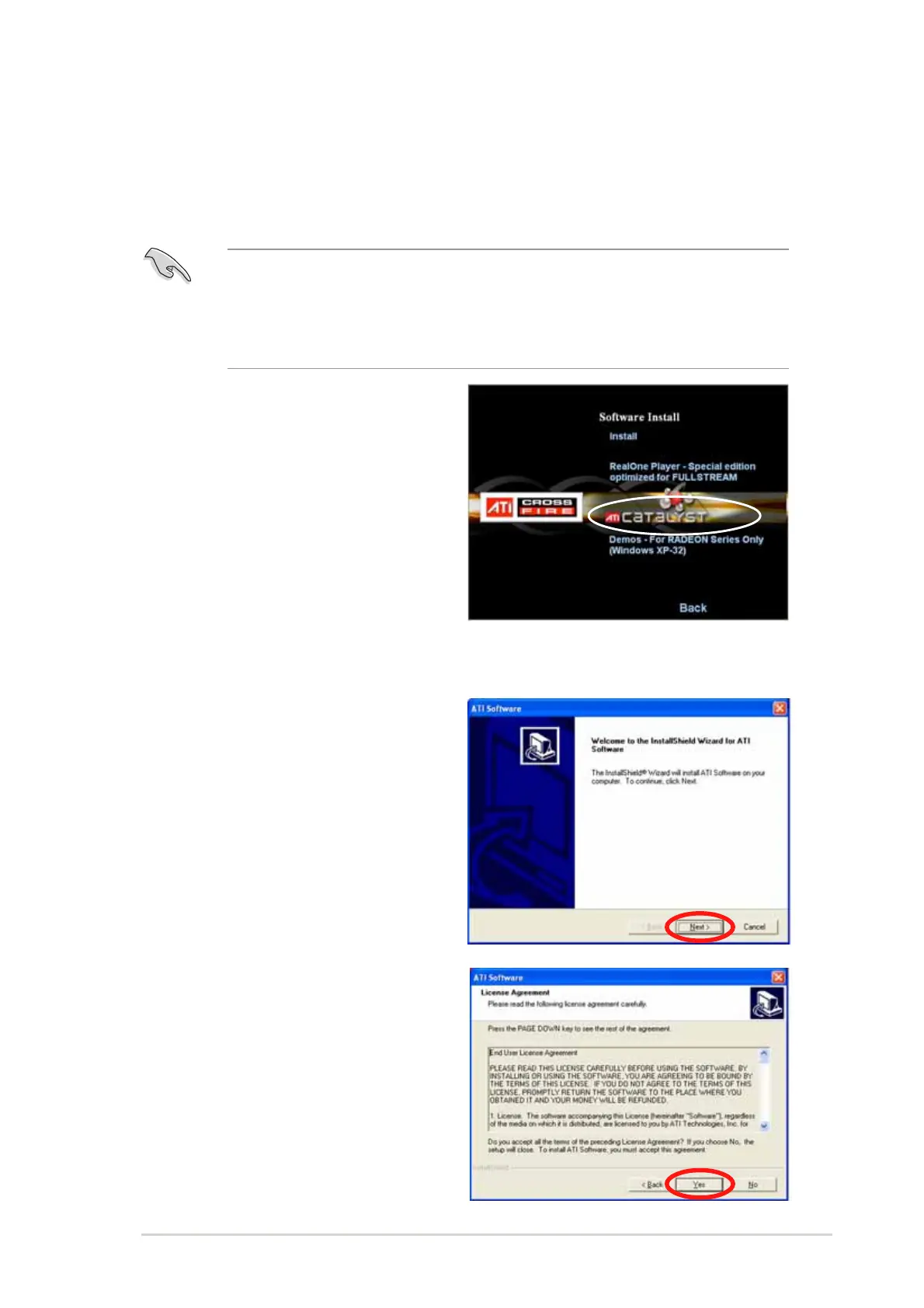
3. Place the CrossFire™
installation CD in your optical
drive and click
InstallInstall
InstallInstall
Install
CrossFire driversCrossFire drivers
CrossFire driversCrossFire drivers
CrossFire drivers from the opening menu.
4. Click
NextNext
NextNext
Next to continue from
the installation window that
appears.
5. Read the License Agreement,
then click
YesYes
YesYes
Yes.



 To Next Page