ASUS P5WD2-E PremiumASUS P5WD2-E Premium
ASUS P5WD2-E PremiumASUS P5WD2-E Premium
ASUS P5WD2-E Premium
6-96-9
6-96-9
6-9
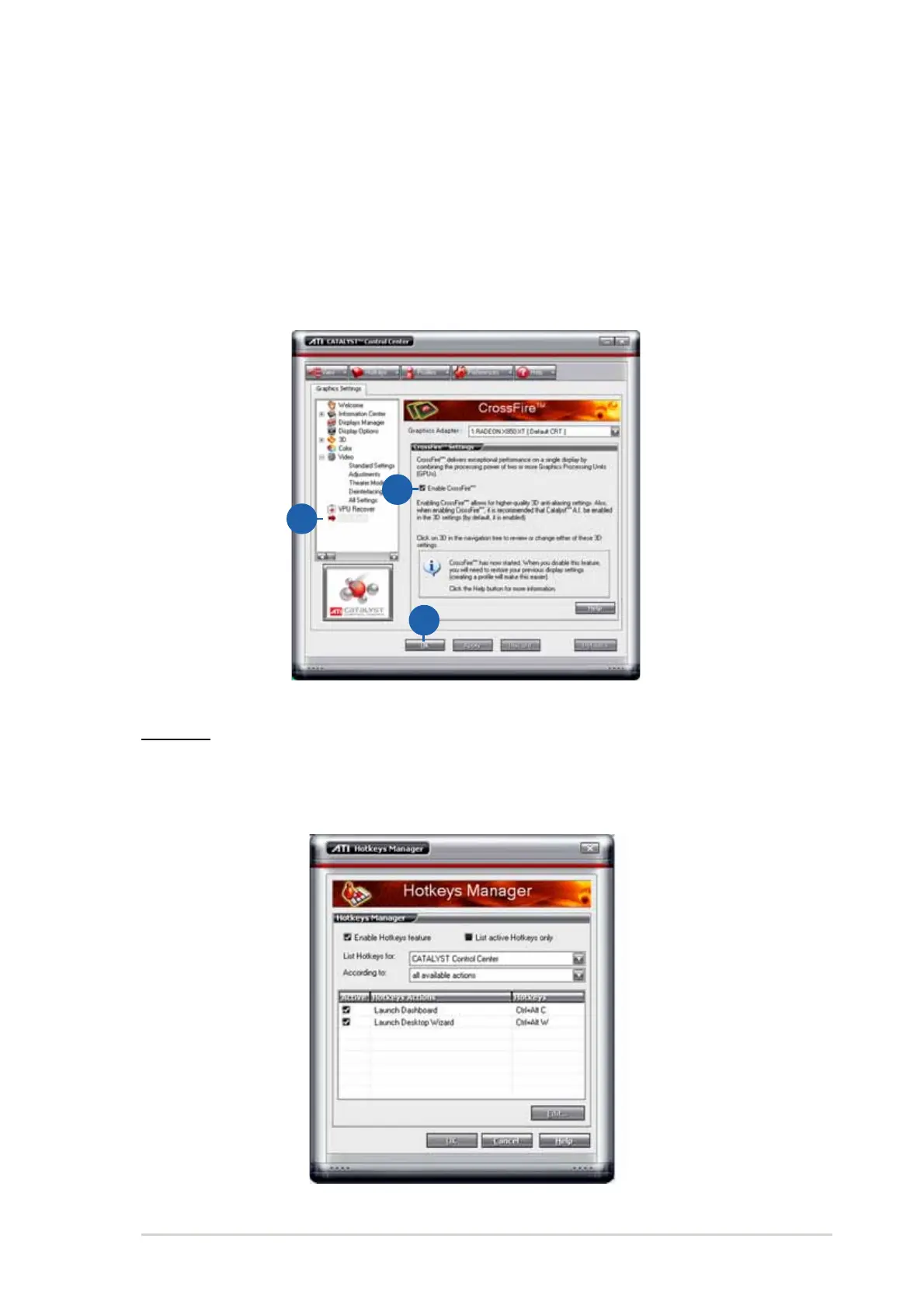
To enable CrossFire™:
1. Set the view to
AdvanceAdvance
AdvanceAdvance
Advance.
2. Click the
Crossfire™ Crossfire™
Crossfire™ Crossfire™
Crossfire™ item in
Graphics SettingsGraphics Settings
Graphics SettingsGraphics Settings
Graphics Settings.
3. In the CrossFire™ Settings dialog, tick the box opposite
EnableEnable
EnableEnable
Enable
CrossFire™CrossFire™
CrossFire™CrossFire™
CrossFire™.
4. Click OK to effect the setting.
22
22
2
33
33
3
44
44
4
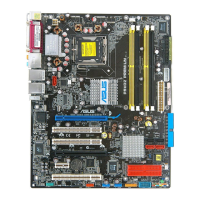
Hotkeys
Click the
Hotkeys Hotkeys
Hotkeys Hotkeys
Hotkeys tab on the Catalyst™ Control Center to access the
Hotkeys Manager, which allows you to create key combinations as
shortcuts for performing certain functions quickly.



 To Next Page