ASUS P5WD2-E PremiumASUS P5WD2-E Premium
ASUS P5WD2-E PremiumASUS P5WD2-E Premium
ASUS P5WD2-E Premium
2-252-25
2-252-25
2-25
3.3.
3.3.
3.
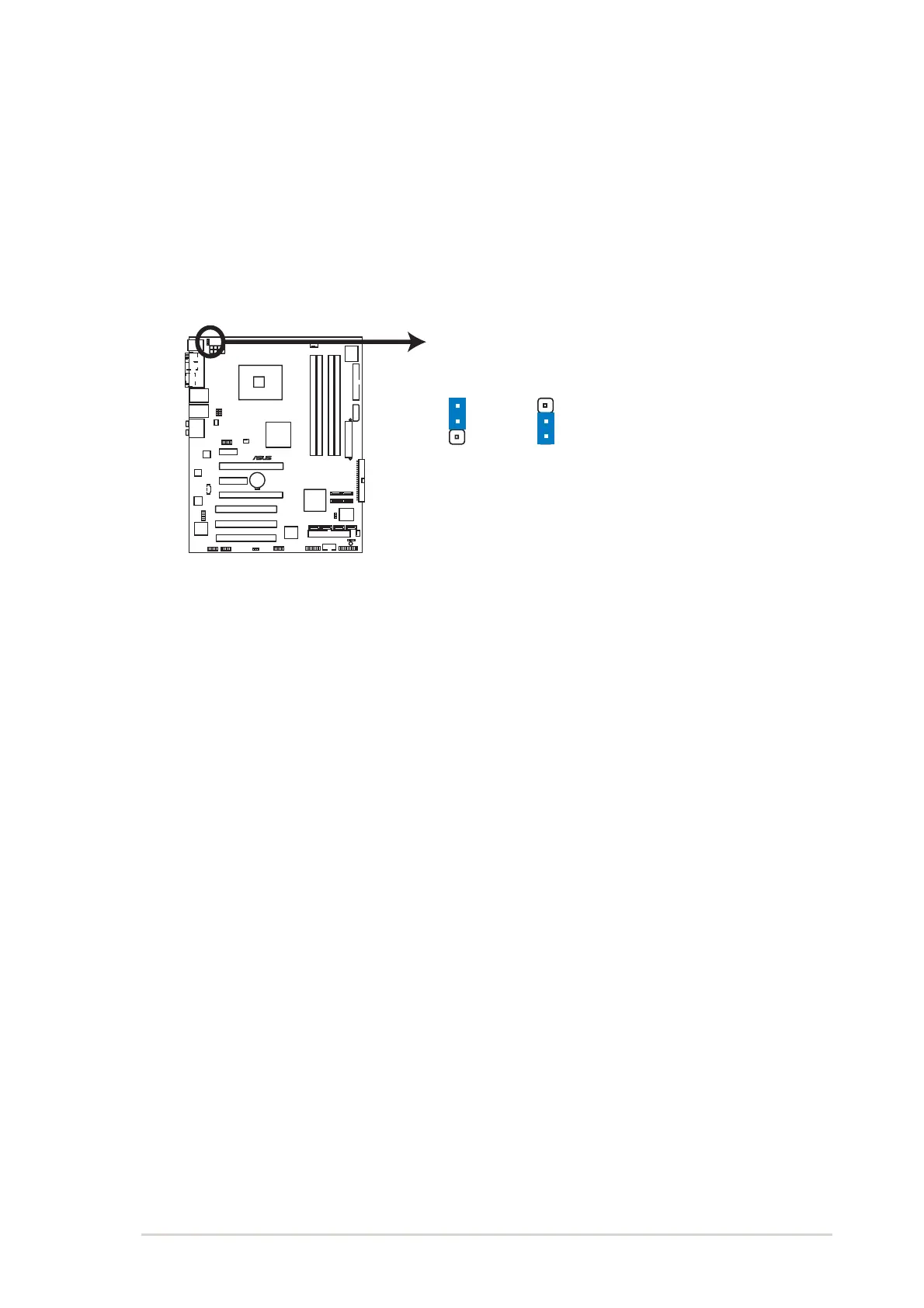
Keyboard power (3-pin KBPWR)Keyboard power (3-pin KBPWR)
Keyboard power (3-pin KBPWR)Keyboard power (3-pin KBPWR)
Keyboard power (3-pin KBPWR)
This jumper allows you to enable or disable the keyboard wake-up
feature. Set this jumper to pins 2-3 (+5VSB) if you wish to wake up
the computer when you press a key on the keyboard (the default is
the Space Bar). This feature requires an ATX power supply that can
supply at least 1A on the +5VSB lead, and a corresponding setting in
the BIOS.
P5WD2-E PREMIUM Keyboard Power Setting
(Default)
+5V
+5VSB
KBPWR
2
3
1
2
P5WD2-E
®



 To Next Page