5-4 Chapter 5: Multiple GPU technology support
Enabling Dual CrossFireX settings
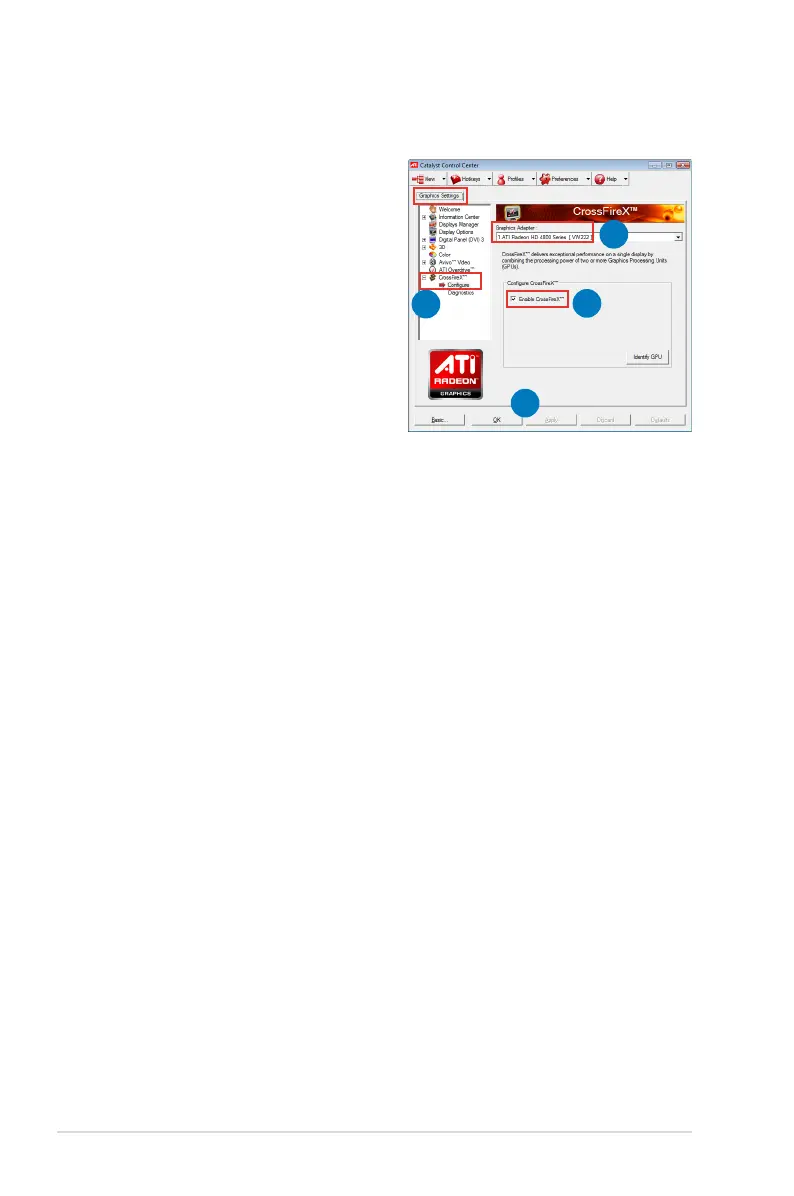
1. In the Catalyst Control Center
window, click Graphics Settings >
CrossFireX > Congure.
2. From the Graphics Adapter list,
select the graphics card to act as
the display GPU.
3. Select Enable CrossFireX.
4. Click Apply, and then click OK to
exit the window.
1
2
3
4







 To Next Page